Every price and feature below comes from the developer's own page or App Store listing, read on 31 October 2026. Prices change, so check before you buy.
The verdict
| App | Price | Runs on | The difference that matters |
|---|---|---|---|
| StampMark | $13.99 once | Mac | Drag the mark into place on a live preview; per-photo overrides; tiling |
| PhotoBulk | $9.99 once | Mac | Watermark, resize, optimise and rename in one batch |
| uMark Photo Watermarker | $29 once, one Mac | Mac, Windows (separate licences) | Text, logo, shape and QR-code watermarks, and EXIF details as text |
| Visual Watermark | $19.95 for a year, or $39.95 once | Windows, Mac, iOS, Android, Chromebook | One licence for 10 devices; the free version adds its own logo |
| Lightroom Classic | Adobe subscription | Mac, Windows | A text or graphic watermark on every export, if you already use it |
| Shortcuts or ImageMagick | Free | Mac | Nothing to buy, but you build the batch yourself |
What separates one watermark app from another
- How you place the mark. A logo that sits well on a landscape photo can cover a face on a portrait. A live preview and per-photo adjustment catch that before export instead of after.
- What else the batch does. If the photos also need resizing for the web, renaming or compressing, doing it in the same pass saves a second tool.
- The price model. Most of these are one-time purchases. Lightroom Classic comes only with an Adobe subscription, and Visual Watermark sells a year of access or a permanent licence.
The options, one by one
StampMark: place the mark by eye
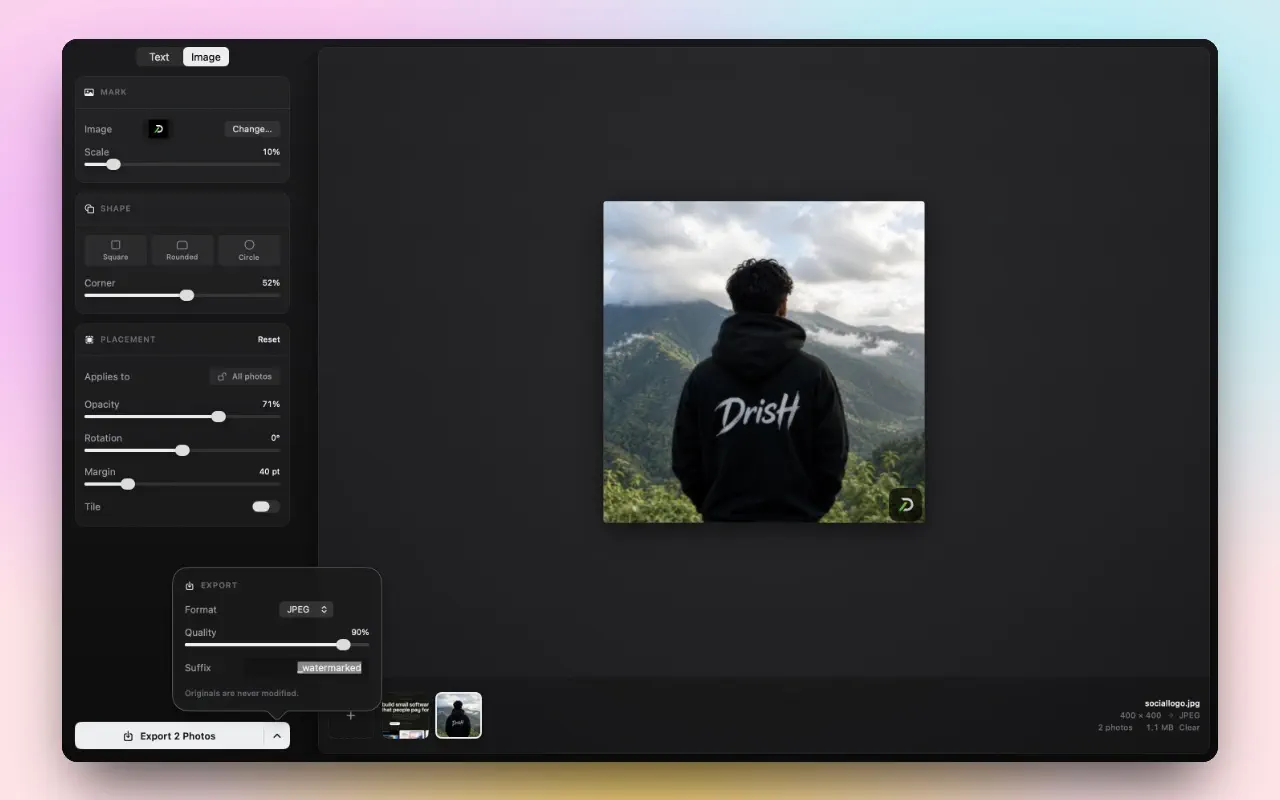
StampMark is the batch watermark app DrisH builds at DRISH LABS. Drop in the photos and set the watermark once, your logo or text, then drag it into place on the photo and resize it with eight grips. Opacity, rotation, tiling and a corner radius for the logo are there too. When one photo needs the mark somewhere else, lock that photo (Option-Command-L) to give it its own placement while the rest of the batch keeps the shared one. It handles JPEG, PNG, HEIC, TIFF, BMP, GIF and WebP, and every photo is processed on the Mac.
- Price: $13.99, one purchase, on the Mac App Store; needs macOS 15.1 or later
- Pick it if: you watermark client proofs or product photos with a logo and want to see each one before exporting. Skip it if you want resizing and renaming in the same pass, or you also work on Windows.
StampMark's page has the screenshots.
PhotoBulk: watermarking as one step of a batch edit
PhotoBulk, from Eltima, is a bulk image editor. It adds text and image watermarks, a script watermark that fills the photo with text, and a date stamp from the day the photo was taken, with a live preview where you drag and rotate the mark. The same batch can resize, optimise JPEG and PNG files, rename and convert.
- Price: $9.99 on the Mac App Store; version 2.8; needs macOS 10.13 or later
- Pick it if: watermarking is one step of getting photos ready for a website or a shop.
uMark Photo Watermarker: QR codes and EXIF text
Uconomix's uMark watermarks hundreds of photos in one go with text, logos, shapes and QR codes. It can write EXIF details such as the date or camera settings into the mark, tile a mark across the photo, and save watermarks to reuse, with a live preview.
- Price: $29 one-time for one computer, or $39 for three; the first year of upgrades is free. The Mac and Windows versions are separate licences.
- Pick it if: the mark should carry a QR code or the shot's details.
Visual Watermark: one licence, several platforms
Visual Watermark runs on Windows, Mac, iOS, Android and Chromebook, and both of its licences cover 10 devices. Its free version inserts a "Visual Watermark" logo alongside yours, so clean output needs a licence.
- Price: $19.95 for a year of access, which does not renew automatically, or $39.95 one-time for permanent access
- Pick it if: you watermark on more than one platform.
Lightroom Classic: if you already pay for it
Lightroom Classic's Watermark Editor makes a text or graphic watermark, and the Export dialog applies it to every photo in the export. If Lightroom is already where you edit, you don't need another app. It is sold only inside Adobe's subscription plans, so starting a subscription for watermarking alone rarely makes sense.
- Price: an Adobe subscription; Adobe's site shows the plans and prices for your country
- Pick it if: you already use it.
The free routes
- Shortcuts has Overlay Image and Overlay Text actions, so a shortcut can stamp a logo or a line of text on every photo you pass it. You build and test the shortcut yourself.
- ImageMagick in Terminal stamps a logo on every image in a folder with one loop. It is precise, and there is no preview until the files exist.
- One photo at a time, the free photo watermark tool on this site adds a name or logo in the browser, without uploading the photo.
How to watermark many photos at once on a Mac has the ImageMagick command, and where to put a mark so it does its job.
Also in the running: iWatermark Pro
iWatermark Pro, from Plum Amazing, is a long-standing name in batch watermarking. Its Mac page, read on 31 October 2026, still listed version 2.6.3 from December 2020, said a new version is being written, and showed no price, so check its current state before you buy.
Which to pick
- You already edit in Lightroom Classic: use its export watermark.
- Photos for a shop or the web that also need resizing and renaming: PhotoBulk.
- A logo placed by eye on client proofs, with the odd photo adjusted: StampMark.
- A QR code or the shot's details in the mark: uMark.
- Several devices and platforms: Visual Watermark.
- A few times a year: Shortcuts or ImageMagick, for free.
FAQ
What is the best app to watermark many photos on a Mac?
If you already use Lightroom Classic, its export watermark. Otherwise a one-time app: PhotoBulk if you also resize and rename, StampMark if you place a logo by eye, uMark for QR-code and EXIF watermarks.
Is there a free way to batch watermark photos on a Mac?
Yes. Shortcuts' Overlay Image action and ImageMagick in Terminal both watermark a batch once you set them up. Visual Watermark's free version works too, but adds its own logo next to yours.
Can Lightroom Classic watermark photos in bulk?
Yes. Make the watermark in its Watermark Editor, then choose it in the Export dialog, and every photo in the export gets it.
Can I watermark photos without uploading them anywhere?
Yes. StampMark processes every photo on the Mac, and Shortcuts and ImageMagick run locally too.
Are these apps one-time purchases?
StampMark, PhotoBulk and uMark are. Visual Watermark sells a year of access or a permanent licence, and Lightroom Classic needs an Adobe subscription.