Photo Watermark
- Runs in your browser
- Nothing uploaded
- No sign-up
 Need more than this?
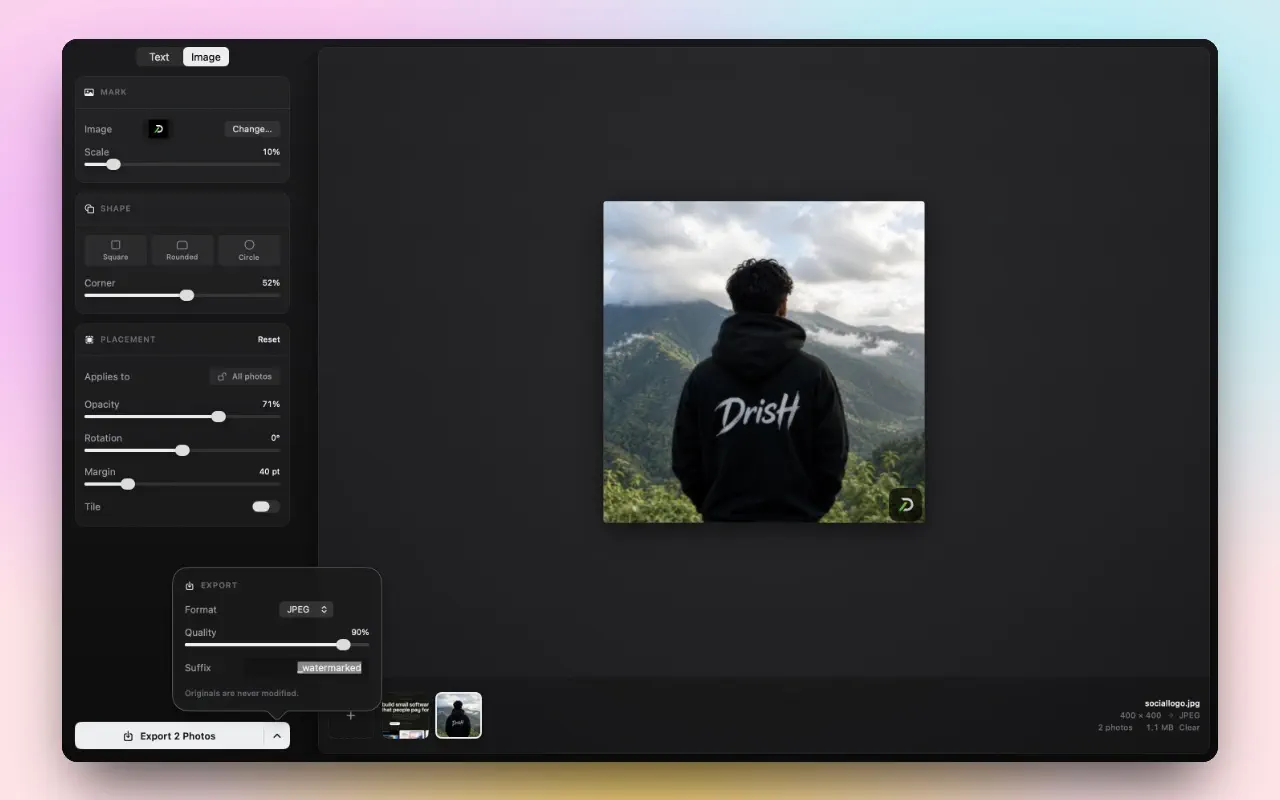
StampMark
Watermarks hundreds of photos in one pass, reads JPEG, PNG, HEIC, TIFF, BMP, GIF and WebP, and runs entirely offline on your Mac.
Not today? Get an email when StampMark gets better
Updated · DRISH LABS
How do you add a watermark to a photo?
To add a watermark to a photo, place your name, a copyright line or a logo over it — a PNG with a transparent background works best — at around 20–40% opacity, sized as a share of the photo’s width. A small corner mark can be cropped off in seconds; tiling the mark diagonally across the whole frame means removing it takes retouching the entire picture. A free browser tool exports the result at full resolution.
How it works
- Drop a photo — JPEG, PNG, WebP, or anything else this browser can display.
- Choose a text mark (your name, a copyright line, a shop handle) or drop a logo — a PNG with a transparent background works best.
- Set the size as a share of the photo’s width, the opacity, and where it sits: any of nine positions with a margin from the edge, or tiled diagonally across the whole picture at the angle you choose.
- The preview is the same drawing at screen size, so what you see is what you get. Export as JPEG (with a quality setting) or PNG, at the photo’s full resolution.
- Exporting re-encodes the image, which strips EXIF metadata — GPS location, camera model, timestamps — and applies the photo’s orientation, so a sideways phone picture comes out upright.
Size, opacity and placement that hold up
Every setting is relative to the photo, not to the screen, so the mark lands in the same place at the same proportion whether the photo is 1,000 or 6,000 pixels wide. A corner mark at 20–40% opacity brands a picture without competing with it, but sits where a crop removes it most easily. Across a busy, detailed area, or tiled over the whole frame, it is far harder to crop or retouch away — the trade most photographers make for client proofs.
mark width = photo width × size % · margin = photo width × margin % · tiled → repeats on a rotated grid
When you need it
- Branding a photo before posting it
- Put your handle in a corner at around 30% opacity so a repost still says where it came from, without the mark becoming the picture. Export as JPEG at quality 85–90 for social platforms, which re-compress anyway.
- Sending a proof a client should not use as-is
- Tile a text mark diagonally across the whole image at a moderate opacity. A tiled mark cannot be cropped out, and removing it means retouching the entire frame — which is the point of a proof.
- Adding a logo to a product photo
- Drop your logo as a transparent PNG, scale it to around 15–20% of the width, and place it bottom-right with a small margin. PNG export keeps the result lossless if the photo is going on to further editing.
- Marking a photo for a listing or a portfolio
- A copyright line such as “© Your Name” in white or black, whichever contrasts with the area beneath it, is the most common choice. Use the custom colour if neither reads well over the photo.
Questions
Is my photo uploaded?
No. The photo and any logo are decoded, drawn and encoded by your browser. Nothing is sent to a server, and nothing is kept once you close the tab.
Does a watermark stop people from stealing a photo?
It deters and it attributes; it does not prevent. A small corner mark can be cropped off in seconds, and any mark can be retouched out with enough effort. Tiling it across the frame, or placing it over detail rather than flat sky, makes removal much more work, at some cost to how the picture looks.
What opacity should a watermark be?
Around 20–40% is the usual range for a mark that is visible without dominating. Go higher for proofs you do not want used, lower for a subtle signature on work you are publishing yourself.
Will the photo lose quality?
PNG export is lossless. JPEG export re-compresses the image; at quality 90 or above the difference is very hard to see, and it keeps the file a fraction of a PNG’s size for a photograph.
Why is my exported image smaller than the original?
Browsers cap how large a canvas can be — on iPhone and iPad at about 16.7 million pixels. A photo larger than that is exported at the biggest size the browser allows, and the page says so. On a Mac or PC this rarely applies.
Can I watermark many photos at once?
Not here — this tool handles one photo at a time. StampMark, the studio’s Mac app, watermarks hundreds of photos in one pass, reads HEIC and TIFF as well, and runs entirely on your Mac.
Keep going
The best batch watermark apps for Mac in 2026
Mac apps that watermark a whole folder of photos.
GuideHow to watermark many photos at once on a Mac
Watermark a whole folder of photos on a Mac.
GuideImage Compressor
Shrinks JPEGs and WebPs by quality or to a target size.
Free tool