Every price and feature below comes from the developer's own page or App Store listing, read on 31 October 2026. Prices change, so check before you buy.
The verdict
| Tool | Price | Runs on | The difference that matters |
|---|---|---|---|
diff in Terminal | Free, built in | Mac | Exact and scriptable, but reports whole lines |
| BBEdit, free mode | Free; licence $59.99 | Mac | Files and folders side by side, with changed words and characters highlighted |
| FileMerge | Free with Xcode | Mac | Files and folders, with merging against a common ancestor; needs Xcode |
| Visual Studio Code | Free | Mac, Windows, Linux | Two files at a time, inside an editor you may already use |
| DiffSnap | $6.99 once | Mac | Text, PDFs, JSON, Plist, XML, images and binary files, with SHA-256 proof; no folders |
| Kaleidoscope | From $8 a month | Mac | Text, images and folders, three-way merge and Git integration |
| Beyond Compare 5 | $35 Standard or $70 Pro, once | Mac, Windows, Linux | Folders, text, images and tables; Pro adds three-way merge |
| Araxis Merge | $129 Standard or $269 Professional, once | Mac, Windows | Reads the text of Word, Excel and PDF files as well as code; Professional adds three-way merge |
What separates one diff tool from another
Three questions decide which of these suits you:
- Two files, or two folders? Finding which files changed between two copies of a project is a different job from reading the changes in one file. DiffSnap and VS Code compare files; everything else in the table also compares folders.
- Do you merge? Resolving a Git conflict means comparing your version and theirs against the common ancestor, which is a three-way merge. Kaleidoscope, Beyond Compare Pro, Araxis Merge Professional and FileMerge do it. DiffSnap merges two files, line by line.
- Is it all plain text? Code and text are the easy part. A PDF, a Word file or an image needs a tool that reads the format, and JSON or a Plist reads better compared by value than by line.
The options, one by one
diff and FileMerge: already on your Mac
diff ships with macOS. diff -u old.txt new.txt lists every changed line, and diff -rq folder-a folder-b lists which files differ between two folders. It is exact and scriptable, and it reports whole lines, so a one-character change shows up as one removed line and one added line.
FileMerge is Apple's side-by-side comparison app, included with Xcode. Run opendiff old.txt new.txt in Terminal, or find FileMerge with Spotlight. Its manual page describes comparing two files or two directories, and merging them against a common ancestor. The catch is Xcode itself, a very large download if you don't already need it.
- Price: free
- Pick it if: you compare files now and then, or you already have Xcode installed.
How to read the output, and the switches worth knowing, is in how to compare two text files on a Mac.
BBEdit's free mode
BBEdit, from Bare Bones Software, keeps working in a free mode after its 30-day evaluation, and Bare Bones' comparison chart lists Find Differences among the features free mode keeps: files and folders, side by side, with word- and character-level differences highlighted.
- Price: free; a full licence for BBEdit 16 is $59.99
- Pick it if: you want a free side-by-side view without opening Terminal.
Visual Studio Code
Microsoft's free editor compares two files: right-click one in the Explorer and choose Select for Compare, then right-click the other and choose Compare with Selected. From Terminal, code --diff opens the same view.
- Price: free
- Pick it if: you already write code in VS Code and want the comparison in the same window.
DiffSnap: two files of any kind
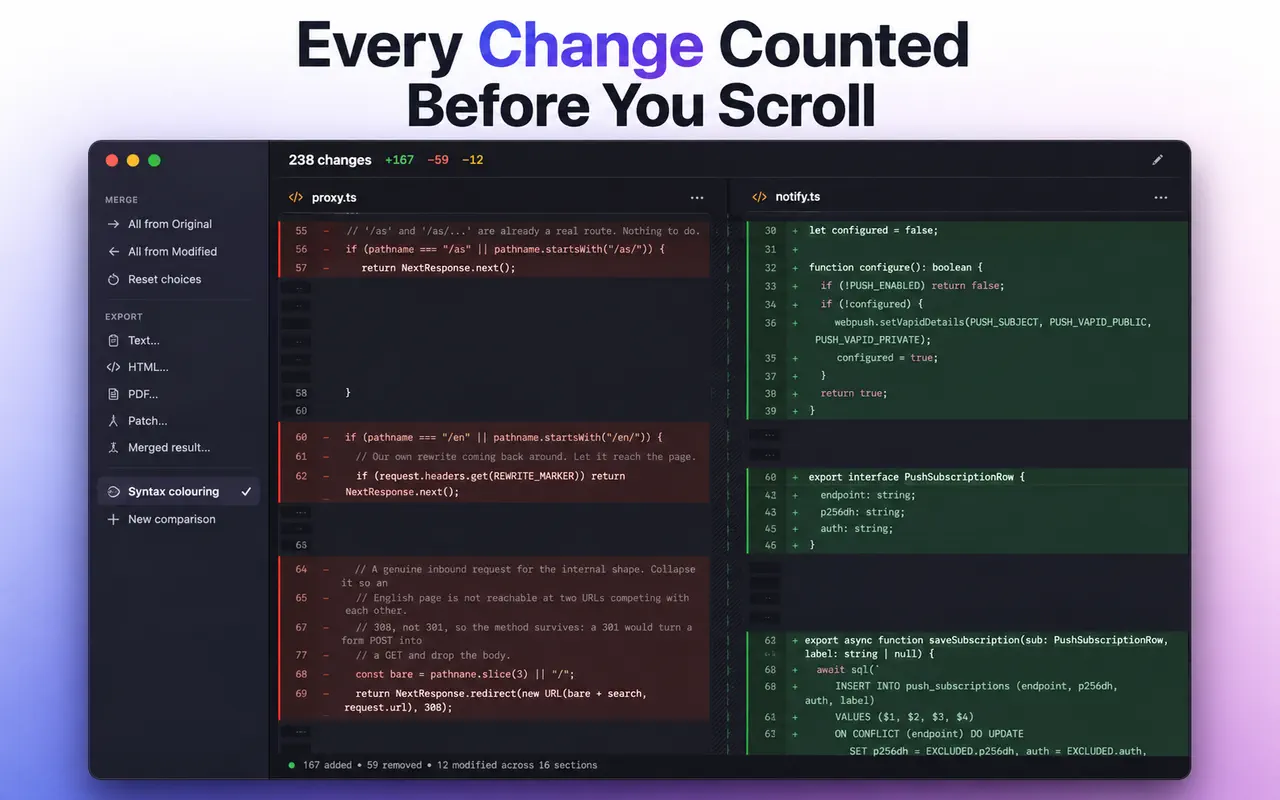
DiffSnap is the Mac comparison app DrisH builds at DRISH LABS. Drop two files and it works out what they are: text and source code with syntax colouring, PDFs page by page, JSON, Plist and XML parsed and compared by value, images with swipe, onion-skin and pixel-difference views, and anything else as a hex dump. Every comparison opens with a one-sentence summary of what changed, and every file shows its SHA-256, so two files that read the same but differ in line endings or encoding get flagged. You can pick changes line by line, edit in place, and export text, HTML, PDF or a .patch file. Nothing is uploaded.
- Price: $6.99, one purchase, on the Mac App Store; needs macOS 15.1 or later
- Pick it if: you compare pairs of files of many kinds and want the answer at a glance. Skip it if you compare folders (version 1.2 removed folder comparison) or resolve Git conflicts three ways.
DiffSnap's page has the screenshots.
Kaleidoscope: built around Git
Kaleidoscope compares text and image files and whole folders, does three-way merges, keeps file history, and describes itself as a diff and merge tool that deeply integrates with Git.
- Price: subscription only, with monthly and yearly plans starting at $8 a month; a 7-day free trial; needs macOS Sequoia (15) or later
- Pick it if: you review and merge code every day on a Mac, and a subscription suits you.
Beyond Compare 5: one price, every platform
Beyond Compare compares folders, text files, images and tables, and runs on Windows, macOS and Linux. A single-user licence covers one person on any number of computers. The Pro edition adds two- and three-way text merging and folder merging.
- Price: $35 Standard or $70 Pro, a one-time purchase with no annual renewal fees
- Pick it if: you work across platforms, compare folders often, or want three-way merge for a one-time price.
Araxis Merge: documents as well as code
Araxis Merge compares text, images pixel by pixel, binary files and folders, and extracts the text from Word, Excel, OpenDocument, PDF and RTF files to compare it, without their layout. Two-way merging is in Standard; three-way merging and three-way folder comparison are Professional only. One licence covers Windows and macOS.
- Price: $129 Standard or $269 Professional, one-time, with a year of updates and support included and optional renewal after that
- Pick it if: you compare contracts, reports and spreadsheets as well as code, or need one licence for a Mac and a Windows PC.
Which to pick
- Now and then, for free: BBEdit's free mode, or
diffin Terminal. - Merging code every day: Kaleidoscope if a subscription suits you, Beyond Compare Pro if you'd rather pay once.
- A team on Mac and Windows: Beyond Compare or Araxis Merge, both licensed across platforms.
- Word, Excel and PDF documents: Araxis Merge reads their text. For a spreadsheet without paying, export both versions to CSV first, as how to compare two Excel files on a Mac explains.
- Two files at a time, of any kind, for a one-time $6.99: DiffSnap.
FAQ
What is the best diff tool for Mac?
It depends on the job. For occasional comparisons, BBEdit's free mode and Terminal's diff cost nothing. For daily Git merges, Kaleidoscope or Beyond Compare Pro. For pairs of files that include PDFs, JSON and images, DiffSnap.
Does a Mac have a built-in diff tool?
Yes. The diff command is part of macOS, and FileMerge, a side-by-side app, comes with Xcode. Run opendiff in Terminal to open two files in FileMerge.
Is there a free alternative to Kaleidoscope?
BBEdit's free mode compares files and folders side by side with the changed words highlighted, and FileMerge adds merging against a common ancestor. Neither has Kaleidoscope's Git integration.
Does Beyond Compare work on a Mac?
Yes. Beyond Compare 5 runs on macOS, Windows and Linux, and a single-user licence covers one person on any number of computers.
Which Mac diff tools do three-way merges?
Kaleidoscope, Beyond Compare Pro, Araxis Merge Professional and FileMerge. DiffSnap merges two files.
Can a diff tool compare PDF or Word files?
Some can. Araxis Merge extracts the text from Word, Excel, PDF and RTF files, and DiffSnap compares PDFs page by page. For two versions of a Word document, Word's own Compare Documents command is often the simplest.