A revised contract comes back "with a few small edits", or a report is reissued with "minor corrections": both are twelve-page PDFs, and the change you need is one clause somewhere in the middle. Below are the options from free and slow to fast.
Method 1Preview, side by side
Open both PDFs in Preview and tile the two windows (hover over the green button and choose to tile left and right). Scroll them together and read.
It costs nothing and it works for short documents. It is also how changes get missed: people are very bad at spotting a changed word in two near-identical pages, and worst of all at spotting a sentence that was removed.
Method 2The text, compared in Terminal
Pull the text out of each PDF and diff the text: it is the reliable free method. With the free poppler tools installed (for example through Homebrew: brew install poppler):
pdftotext -layout old.pdf old.txtpdftotext -layout new.pdf new.txtdiff old.txt new.txtdiff prints every line that differs. It is exact, but it compares text only: a changed image, a moved signature block or a different font will not show up.
If you would rather not use Terminal, copy the text of each PDF (Command + A, Command + C in Preview) and paste the two into the free text diff tool on this site. It marks every added and removed line and runs in your browser. Nothing is uploaded, which matters for a contract.
Method 3Compare Files in Adobe Acrobat Pro
Adobe Acrobat Pro includes a compare tool that shows the differences between two PDFs, in a side-by-side view or a single-page view, according to Adobe's own page (read 24 November 2026). Adobe lists compare in Acrobat Pro and Acrobat Studio; the free Acrobat Reader doesn't list it. If you already pay for Acrobat, it is the most complete option.
Method 4DiffSnap, a Mac diff app that reads PDFs
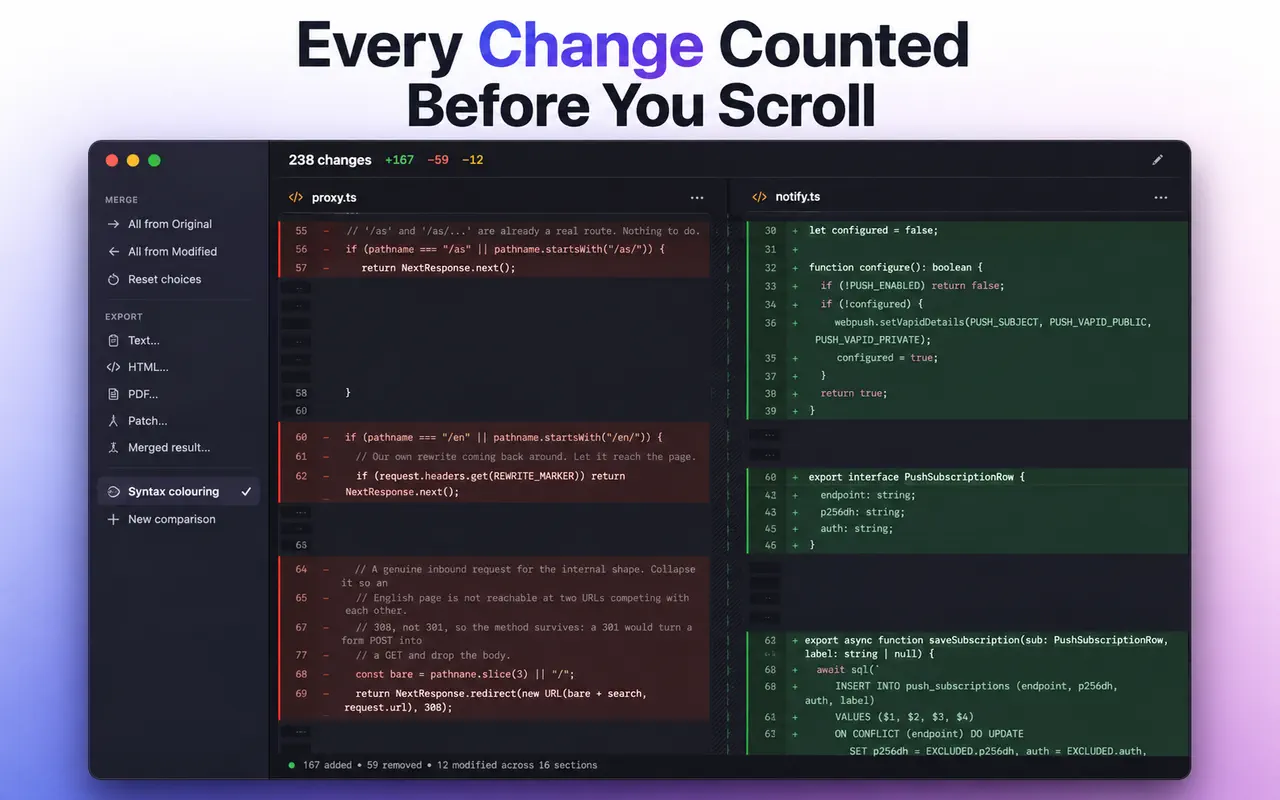
DiffSnap, from this studio, compares two of almost anything on a Mac, PDFs included. Drop both files and it extracts each page's text, compares page counts and metadata and the full text, and opens with a one-line summary such as "Same page count, 23 lines changed" before you scroll to the changes themselves. It shows each file's SHA-256, so two PDFs that are byte-for-byte identical can be told apart from two that only read the same, and it exports the comparison as text, HTML, PDF or a .patch file. It is $6.99, a one-time purchase on the Mac App Store, needs macOS 15.1 or later, and works offline, so the contract never leaves the Mac.
Which PDF apps compare two contract versions side by side on a Mac?
Adobe Acrobat Pro shows two versions side by side with the differences marked; it is part of Adobe's paid plans. DiffSnap compares the text of the two versions on your Mac for a one-time $6.99, with nothing uploaded. Free, Preview can show both in tiled windows but marks nothing, and the pdftotext and diff method marks every changed line in text form.
What should you watch for when comparing PDFs?
- Layout changes are not text changes. A reflowed paragraph can show as many changed lines when only one word moved. Read the changed words, not the count.
- Scanned PDFs have no text. A PDF that is a photo of a page needs OCR before any text comparison can work.
- Check the page count first. An added or removed page explains a lot of downstream "changes" at once.
FAQ
Can Preview compare two PDFs?
Not automatically. You can view them side by side, but Preview does not highlight differences.
What is the free way to compare PDFs on a Mac?
Extract the text with pdftotext and compare it with diff, or paste both texts into a browser-based text diff tool that does not upload them.
Can I compare two PDFs without uploading them?
Yes. The Terminal method, a local app such as DiffSnap, and this site's text diff tool all keep the documents on your Mac.
Why does a PDF comparison show changes I did not make?
Usually because the text reflowed: line breaks moved even though the words did not.
Can I compare scanned PDFs?
Only after OCR turns the scan into text; a scanned page is an image with no text to compare.
Can I compare two Word documents instead?
Yes. Word's own Review › Compare is built for it. For plain text files, see how to compare two text files on a Mac.