Below is what YouTube's own settings do, what they leave, and the extensions that hide the rest. Extension figures are from each Chrome Web Store listing, read on 24 November 2026.
How do I turn off YouTube recommendations on the home page?
Pause and delete your YouTube watch history. YouTube's help is direct about it: the home page's recommendations rely mainly on your watch history, and you can turn it off and delete it if you don't want them.
- Go to myactivity.google.com/product/youtube (or History in YouTube's menu, then Manage history).
- Under Controls, pause YouTube History.
- Delete what is already there (Delete, then All time) so there is no history left to recommend from. Deleting watch history for a period also deletes your search history for it.
YouTube says that with history off and no significant prior history, the home page shows the search bar and the left-hand menu, and you can still search, open your subscriptions and use Explore.
The cost: recommendations are built from that history, so the ones you do still see get less useful. What it doesn't change: the suggestions beside a video. YouTube describes those as based on the video you are watching, and nothing in its help says history affects them.
Can you stop YouTube recommending the same videos?
You can narrow what it suggests, video by video, but never remove the suggestions:
- Not interested. On the home page, open More (the three dots) on a video and choose Not interested, then Tell us why if you like.
- Don't recommend channel. The same menu, on any video, Short or post from a channel you never want suggested.
- Remove single videos from history. In My Activity, the X next to a video removes it, so it stops shaping what you are shown.
How do I turn off autoplay on YouTube?
Click the Autoplay switch at the bottom of the player. YouTube notes that the setting can differ between devices, so set it on each computer you use.
Can you turn off end screens for every video?
No, not with YouTube's settings. The player offers Hide on the end screen, and YouTube's creator blog is clear about its limit: it dismisses the end screen "for that video, that time - not all videos, all the time." An extension hides them on every video.
What can't YouTube's settings hide?
The suggested videos beside or under a video, the end-screen wall and cards, and Shorts shelves all stay, even with history off and autoplay off. Removing those is what extensions are for. They change only what your browser draws; your account, history and subscriptions are untouched.
Which extensions hide the sidebar and recommendations?
- Unhook - Remove YouTube Recommended & Shorts: 1,000,000 users, 4.9 stars from 4.7K ratings. It hides the home feed, the video sidebar and related videos, the end-screen wall, Shorts, comments, live chat, playlists, the trending tab and more, and can turn autoplay off. It also works on video embeds, and is listed for Firefox and Edge. Free, with a donation link. Its listing says the developer "will not collect or use your data". No timer or lock.
- Rein: Remove YouTube Suggestions, the open-source extension long known as RYS: 10,000 users, 3.3 stars from 158 ratings. Free: hides home suggestions, Shorts, sidebar recommendations, end-of-video suggestions, comments and search suggestions, and can redirect Shorts to the normal viewer. Premium adds a settings lock with a timer or a code, a schedule for when it is active, and autoplay control; signing in, with no payment, unlocks any two premium features.
- BlockTube: 100,000 users, 3.9 stars from 832 ratings. A filter rather than a hider: it blocks chosen channels, videos, keywords, lengths, Shorts, the Explore page and auto-generated playlists, and can hide watched videos from recommendations, but does not hide the home feed as a whole. Free.
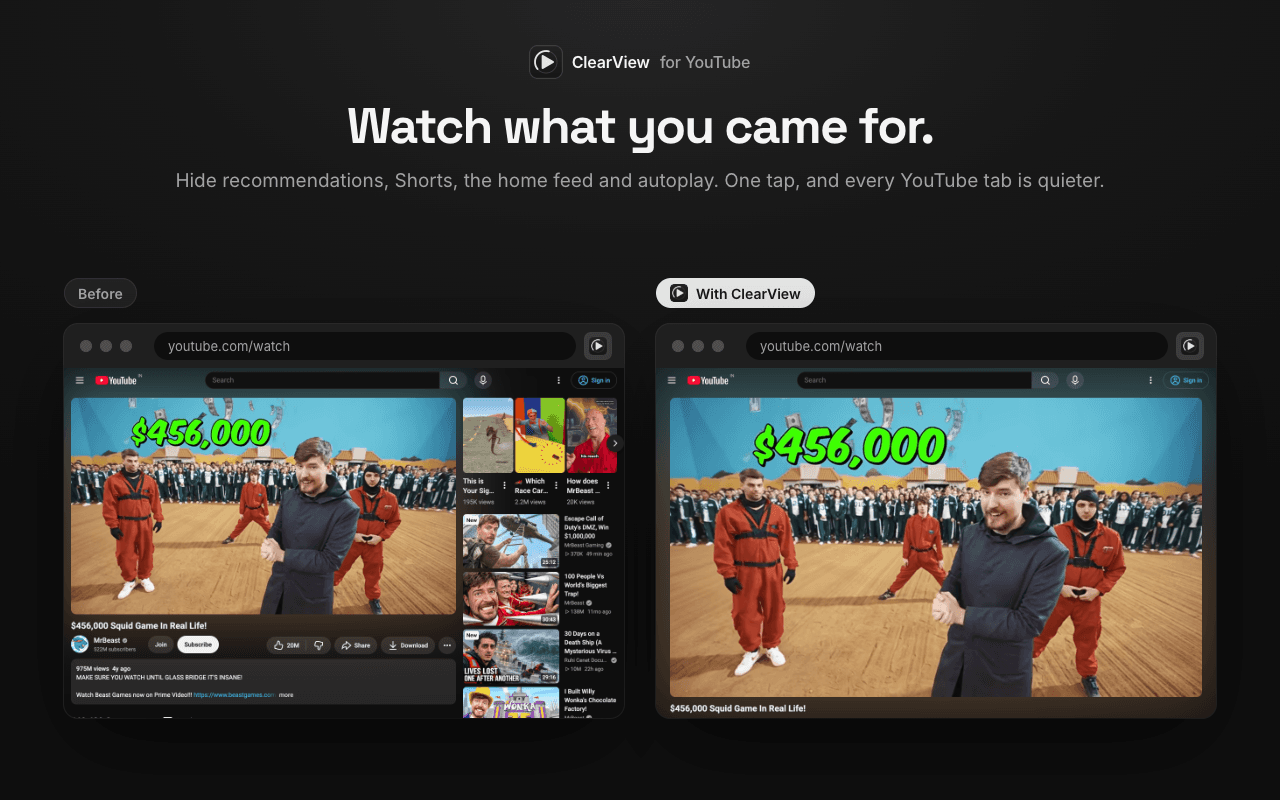
- ClearView, from DRISH LABS: 118 users and 4.6 stars from 8 ratings, so new and small. It hides the home feed (replacing it with a calm page pointing to search and Subscriptions), the recommended videos beside a video (centring the video when nothing else is left in that column), end-screen suggestions, end cards, Shorts, comments, Mixes and more, 26 options in all, with a one-tap Focus set and a pause that turns itself back on. It can turn autoplay off and open Subscriptions instead of Home. It also sets your playback speed on every video and caps short videos each day, across YouTube Shorts and the other short-video sites you turn on. Free, no account.
Which should you pick?
- Only the home page: turn watch history off. Free and built in, with nothing to install.
- Everything on YouTube, free, from the most used extension: Unhook.
- A lock on your settings, so a weak moment can't undo them: Rein's premium settings lock. ClearView's password guards its daily short-video limit, not what it hides.
- Recommendations hidden, plus your speed on every video and one daily limit for Shorts, Reels and TikTok: ClearView.
FAQ
Can you turn off YouTube recommendations completely?
Not with YouTube's own settings. Turning watch history off removes them from the home page; the suggestions beside a video and at its end stay. An extension hides those.
How do I get rid of the YouTube sidebar?
YouTube has no setting for it. An extension such as Unhook, Rein or ClearView hides the recommended videos beside a video; ClearView then centres the video in the page.
Why is my YouTube home page blank?
YouTube shows only the search bar and menu on the home page when watch history is off and there is no significant history to recommend from.
Does turning off watch history remove the sidebar suggestions?
YouTube describes those as based on the video you are watching, not your history, and nothing in its help says they go away.
Can I stop YouTube's end screens for every video?
No. The player's Hide button works for one video at a time. An extension such as Unhook, Rein or ClearView hides end-screen suggestions on every video.
Is Unhook safe for privacy?
Its Chrome Web Store listing says the developer has disclosed that it will not collect or use your data, as of 24 November 2026, and that your data is not sold to third parties.
Will hiding recommendations affect my account?
No. An extension only changes what your browser shows. Turning watch history off does change your account: it stops YouTube recording what you watch.
Do these extensions work on my phone?
Not in the YouTube app. Chrome extensions run in Chrome and Chromium browsers on a computer; Unhook's Firefox version also works on the mobile YouTube website in Firefox on Android. Watch history is a setting on your Google account, so pausing it applies wherever you are signed in.