You opened YouTube for one tutorial, and forty minutes later you are eleven Shorts deep. Below is what does and doesn't work on a computer (in Chrome, Safari and Firefox, and on a Chromebook), on a phone, and when the account is a child's. Extension figures are from each store listing, read on 24 November 2026.
Can you turn off YouTube Shorts in settings?
Not on a computer, and not for good on your own account. What YouTube itself lets you do on the website:
Dismiss the Shorts shelf. On the home page, the Shorts row has an X (or a Not interested option in its menu). Clicking it hides the shelf for a while. YouTube treats it as a preference rather than a setting, and the shelf returns later.
Pause or clear watch history. With history paused, the home page shows far fewer recommendations, Shorts included. It also makes recommendations worse for the things you do want, and it does not touch the Shorts tab.
Start from your subscriptions page. Bookmarking your subscriptions feed instead of the home page avoids the heaviest dose of Shorts. It is a habit and blocks nothing: one click on the logo and you are back.
None of these is permanent, and none survives the moment you most want it to, which is the moment you are least inclined to go looking for a setting.
How do you disable YouTube Shorts on a PC?
Install a browser extension that hides Shorts on the page itself: the shelf, the sidebar entry, the Shorts tab and Shorts in search, every time the page loads. Because it acts on the page rather than on your YouTube account, YouTube cannot quietly bring them back. Two free ones in the Chrome Web Store:
- Unhook - Remove YouTube Recommended & Shorts: 1,000,000 users, 4.9 stars from 4.7K ratings. Its options include hiding Shorts, the home feed, the sidebar, comments and the end-screen wall. It is also listed for Firefox and Edge.
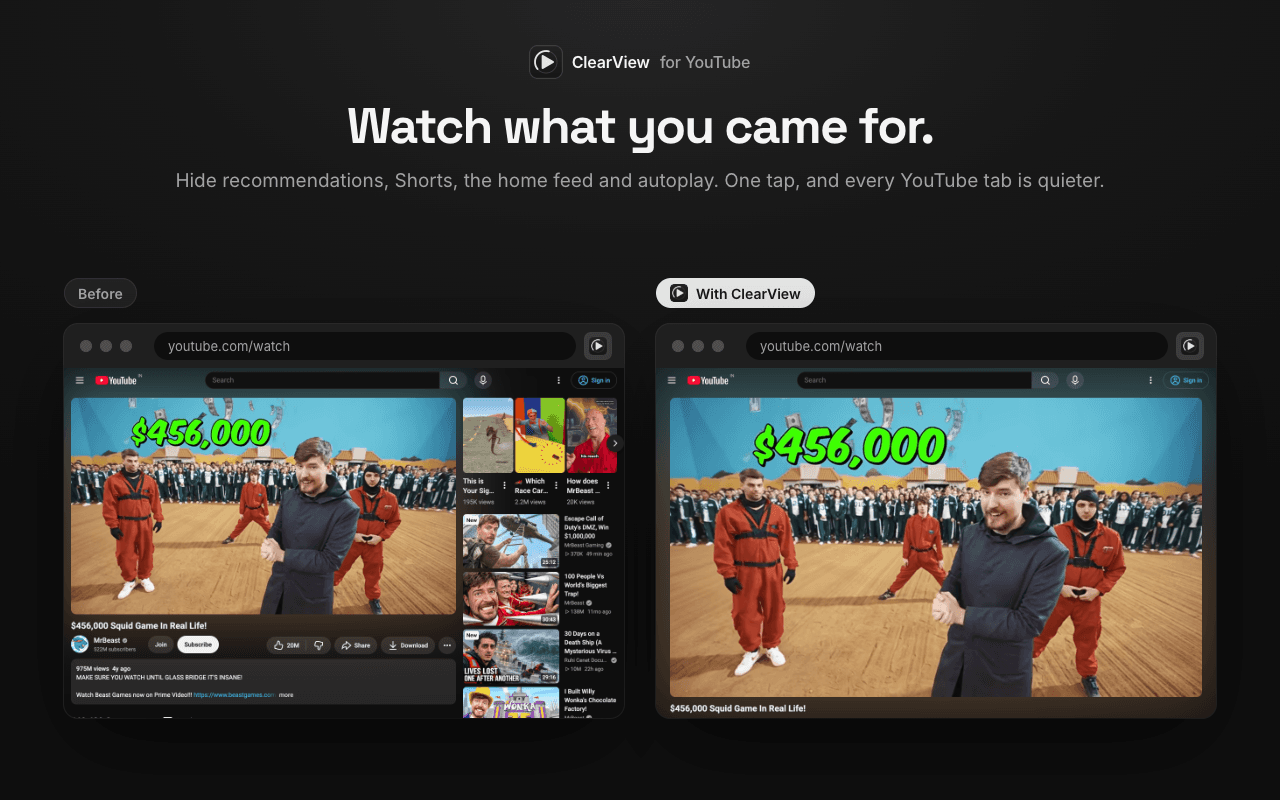
- ClearView, from DRISH LABS: 118 users and 4.6 stars from 8 ratings, so new and small. It hides Shorts shelves on the home page, Shorts in search and in your feeds, and the Shorts tab, with 26 options in all for recommendations, comments, end screens and more.
ClearView adds two things a hider can't:
- A daily limit for short videos. If you want some Shorts, cap them, from 5 minutes to 4 hours; once the time is spent, they pause and stay hidden until midnight. Turn ClearView on for other short-video sites, such as Instagram or TikTok, and they share the same allowance, so switching apps doesn't reset it.
- An optional password on loosening it. You set the limit once, while thinking clearly, and turning it off, raising it or resetting today asks for the password. Lowering it never does.
It runs entirely in your browser, with no account and nothing about what you watch sent anywhere. Both install from the Chrome Web Store, so they work in Chrome and the browsers that install from that store. Neither runs in Safari or in the YouTube app on a phone. For those, read on.
How do I block YouTube Shorts in Safari?
Install a Safari extension from the App Store, then turn it on in Safari's settings; Chrome extensions, ClearView included, don't run in Safari. Two that hide Shorts, as their App Store listings describe them on 24 November 2026:
- Shorts Blocker for YouTube: "You won't see Shorts anywhere—no feed, no search results, no recommendations." Safari only, on iPhone, iPad and Mac, and not in the YouTube app. $1.99.
- No Shorts: Blocker for YouTube: hides "the Shorts feed, previews and suggestions on the YouTube website in Safari", on iPhone, iPad and Mac, and not inside the YouTube app. $2.99, one time.
An extension does nothing until you turn it on. On a Mac, Apple's steps are Safari›Settings›Extensions, then select the checkbox next to the extension. On an iPhone or iPad, go to Settings›Apps›Safari›Extensions and turn it on there.
The catch on a phone is the same as ever: these work on youtube.com in Safari. Open a link in the YouTube app instead and the Shorts are all still there.
How do I block YouTube Shorts in Firefox?
Install an add-on from addons.mozilla.org. Two well-used ones hide Shorts:
- Hide Youtube-Shorts: its summary says it "Hides YouTube-shorts videos from home page, subscriptions, search results."
- Unhook: Remove YouTube Recommended Videos Comments: the Firefox version of Unhook, with the same options.
Both are free, and both are listed for Firefox for Android too, which brings them to an Android phone, on the YouTube website rather than the app. Either can be switched off from the browser's add-ons page in a click.
Can you hide Shorts on a Chromebook?
Yes. A Chromebook runs Chrome, so Chrome Web Store extensions (ClearView and Unhook included) install the usual way: open the extension's page in the Chrome Web Store and select Add to Chrome.
Two exceptions:
- A school or work Chromebook. Google notes that an organisation may block some extensions. If Add to Chrome is greyed out or refused, that is the administrator's policy, and only the administrator can change it.
- A child's Chromebook supervised with Family Link. The child selects Add to Chrome, then Ask a parent, and a parent enters their password to approve. Google also says a child can remove an extension without a parent's permission, so on a child's Chromebook an extension filters but does not lock. Pair it with the account-level limit below.
How do I block YouTube Shorts for my child?
Use the controls on the child's account, not in the browser: they follow the child to every device they sign in on.
- Under 13: YouTube Kids. In its content settings a parent can choose Approve content yourself, in which, Google says, the child can only watch the videos, channels and collections you have hand-picked, and cannot search. Google notes this has to be set in the YouTube Kids app.
- A supervised account on YouTube. In Family Center, choose the child's account, then Time management, and set a daily Shorts feed limit. YouTube's help says that when it is reached, a message appears and stops the child scrolling the Shorts feed, and that the limit resets every morning. YouTube says parents can set it to zero minutes to turn the Shorts feed off entirely.
- On a shared family computer, an extension with a password keeps its limit out of reach of a click: ClearView's password guards anything that loosens its Shorts limit. It cannot stop someone from uninstalling it, which is why the account-level limit comes first.
One limit to know: YouTube's own pages note that supervision can be turned off by a teen as well as a parent, which also ends the limit.
Can you turn off Shorts in the YouTube app?
Not completely. Extensions don't run in the YouTube app, but it has its own Shorts feed limit: tap You, then Settings, Time management and Shorts feed limit, and pick a limit (YouTube's list includes zero). On your own account, YouTube's help says the message at the limit offers an option to dismiss or ignore it. Set by a parent on a supervised account, it stops the scrolling.
The app also has Take a break and bedtime reminders under its settings, and the same Not interested dismissals as the desktop site. They remind rather than block.
If you watch in a browser on the phone instead of the app, a Safari extension on an iPhone or a Firefox add-on on Android hides Shorts on the website.
How do I watch a YouTube Short as a normal video?
Change /shorts/ in the link to /watch?v=, so youtube.com/shorts/ID becomes youtube.com/watch?v=ID. It is the same video, with the same 11-character id, now in the regular player with a seek bar, instead of the Shorts feed where it loops and a scroll moves on to the next Short. The free YouTube Shorts to Normal Video tool on this site rewrites one link or a whole list for you, inside your browser. ClearView can also play Shorts in the normal player, with a timeline and normal controls.
Which approach should you pick?
- You mostly want fewer Shorts: dismiss the shelf and start from your subscriptions page.
- You want them gone on your computer: an extension that hides them on the page. In Chrome or on a Chromebook, Unhook or ClearView; in Safari or Firefox, one built for that browser.
- You want to keep yourself to a limit, not zero: an extension with a time budget and a password on loosening it, so the decision holds.
- It is for a child: start with YouTube Kids or the Shorts feed limit on a supervised account, then add an extension on the computers they use.
FAQ
Can you turn off YouTube Shorts in settings?
Not on a computer, and not for good on your own account. Dismissing the Shorts shelf hides it only temporarily. The YouTube app has a Shorts feed limit that can be set to zero, but YouTube lets you dismiss it when it is reached.
Why do YouTube Shorts come back after I click "Not interested"?
It is recorded as a preference for a period, not a permanent setting, so the shelf returns later.
How do I remove Shorts permanently on a computer?
Use a browser extension that hides Shorts on the page, such as Unhook or ClearView in Chrome. It applies every time the page loads.
Does a zero Shorts feed limit hide Shorts in search and subscriptions too?
YouTube's help page describes the limit as one on scrolling the Shorts feed, and doesn't say it removes Shorts from search results or subscriptions. An extension that hides Shorts on the page covers those places on a computer.
Does hiding Shorts affect my YouTube account?
An extension changes only what your browser displays. Your account, history and subscriptions are untouched.
Does ClearView work in Brave, Edge or Arc?
It is a Chrome extension, and Chromium-based browsers that install from the Chrome Web Store can generally run it.
Is there an extension to hide Shorts in Safari?
Yes. Shorts Blocker for YouTube ($1.99) and No Shorts ($2.99) are Safari extensions from the App Store, for iPhone, iPad and Mac, as of 24 November 2026. Turn one on in Safari's settings. ClearView does not run in Safari.
How do I block YouTube Shorts in Firefox?
Install an add-on from addons.mozilla.org, such as Hide Youtube-Shorts or Unhook. Both are also available for Firefox on Android.
How do I block YouTube Shorts for my child?
For a supervised account, set the daily Shorts feed limit in Family Center under Time management; YouTube says it can be set to zero. For under-13s, YouTube Kids' Approve content yourself setting limits them to videos and channels you pick.
Can I block Shorts in the YouTube app on iPhone?
No extension runs inside the YouTube app. Its own Shorts feed limit can be set to zero, but on your own account it can be dismissed. Safari extensions work only on the YouTube website in Safari.