Image Format Converter
- Runs in your browser
- Nothing uploaded
- No sign-up
 Need more than this?
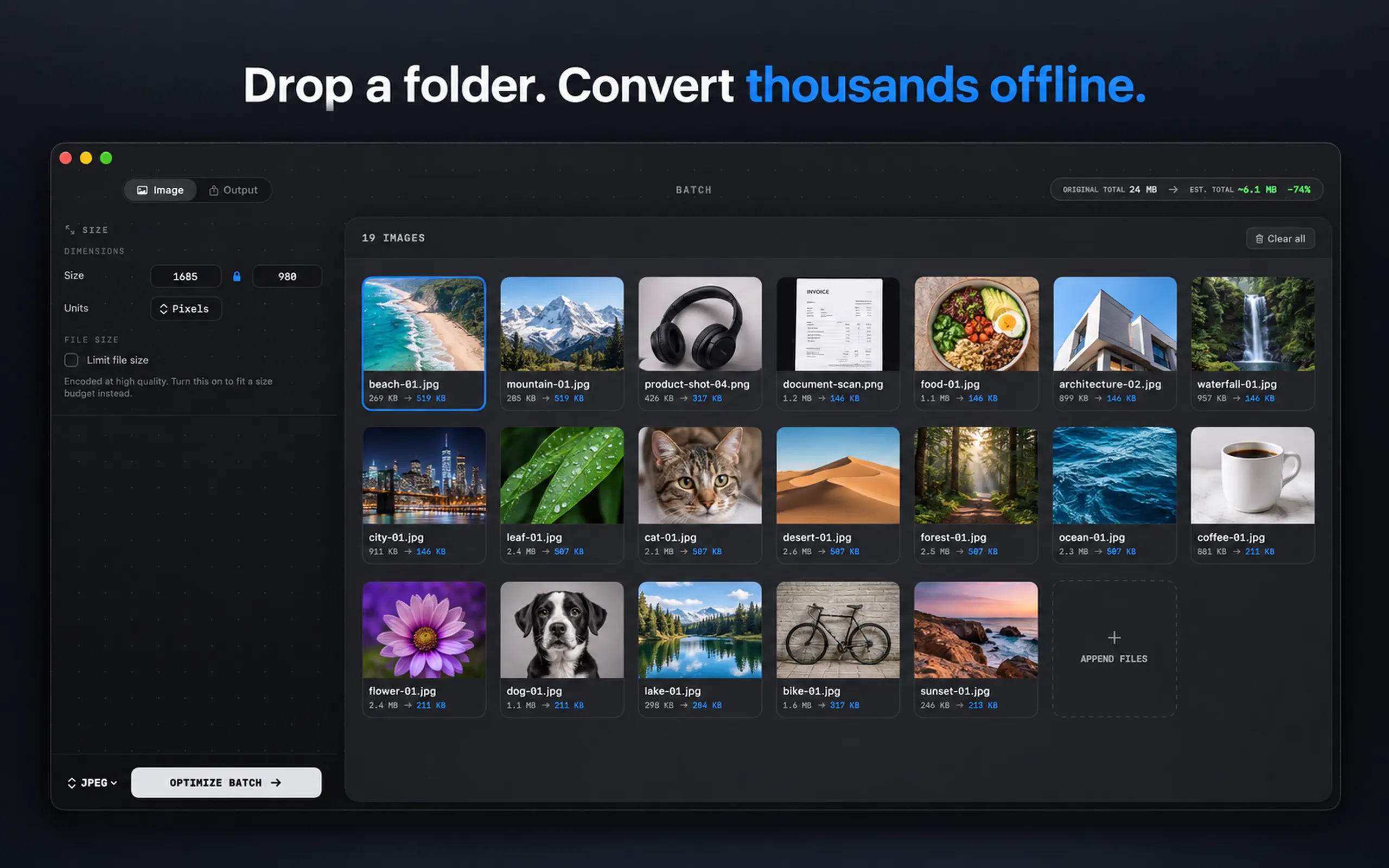
Image Converter for Mac
Converts HEIC, PSD, TIFF and EPS, builds PDFs, and batches hundreds of files offline — including the formats a browser cannot open.
Not today? Get an email when Image Converter gets better
Updated · DRISH LABS
How do you convert images to WebP, JPG, PNG or AVIF?
To convert an image between PNG, JPG, WebP and AVIF, decode it and encode it again in the new format, which a browser can do through a canvas. WebP and AVIF suit photographs on the web and keep transparency; JPEG opens everywhere but has no transparency; PNG is lossless and suits screenshots and logos. For photographs, quality 75–85 is hard to tell from the original, and re-encoding strips EXIF metadata such as GPS location.
How it works
- Drop one image or a batch — PNG, JPEG, WebP, AVIF, GIF, BMP or SVG. They are decoded by your browser, so whatever it can display, it can convert.
- Choose the output: WebP, JPEG, PNG, or AVIF where this browser can encode it. Formats the browser cannot produce are not offered, rather than silently handing back a PNG with the wrong extension.
- Set the quality for the lossy formats and, optionally, a limit for the longest side; images are only ever shrunk, never enlarged. Choosing JPEG shows a background colour for transparent areas, because JPEG has no transparency.
- Convert, compare each file’s size before and after, and download one or all of them as a ZIP. Converting through a canvas strips EXIF metadata — GPS location, camera serial numbers — and applies the photo’s orientation, so a sideways phone picture comes out upright.
- HEIC opens only in Safari, because the browser has to decode it; the HEIC to JPG converter on this site works in every browser.
Which format for which job
WebP and AVIF are the web formats: both compress photographs to a fraction of a JPEG at the same visual quality and both keep transparency, and AVIF usually wins on size while costing more time to encode. JPEG is still the most compatible choice for email and older software, but has no transparency. PNG is lossless — right for screenshots, diagrams and anything with sharp text, wrong for photographs, where it is several times larger than JPEG. Quality 75–85 is the usual sweet spot for WebP and JPEG.
photo → WebP or AVIF · screenshot or logo → PNG or lossless WebP · email or legacy → JPEG
When you need it
- Making images smaller for a website
- Convert a folder of JPEG or PNG photographs to WebP at quality 80 with the longest side capped at 2000 pixels. The before-and-after sizes are listed per file, and the total shows what the page will stop downloading.
- Turning a WebP into something that opens everywhere
- Images saved from the web are often WebP, which some older apps and upload forms still refuse. Convert to JPEG for photos or PNG for graphics.
- Removing location data before posting a photo
- Phone photos carry EXIF metadata, often including GPS coordinates. Re-encoding through the page drops all of it, so the converted copy carries the picture and nothing about where or on what it was taken.
- Flattening a transparent PNG to JPEG
- A logo or cut-out with transparency turns black around the edges if a JPEG encoder flattens it on its own. Pick the background colour — white, or the colour of the page it will sit on — and the transparent areas are filled with it first.
- Rasterising an SVG
- Drop an SVG to get a PNG or WebP at its natural size, for places that do not take vector files — an App Store field, a social preview, a document.
Questions
Are my images uploaded?
No. They are decoded, redrawn and encoded by your browser, and the ZIP is built in memory. Nothing is sent to a server.
Can it convert HEIC photos from an iPhone?
Only in Safari on Apple devices, because the browser itself has to decode HEIC and other browsers cannot. The studio’s Mac app converts HEIC on any Mac, along with PSD, TIFF and EPS, and builds PDFs from images.
Why can I not choose AVIF?
Because this browser cannot encode it through a canvas. The page tests every format on load and offers only the ones that actually work, instead of returning a PNG under an .avif name.
Does converting reduce quality?
Lossy formats — JPEG, WebP, AVIF — discard some detail, controlled by the quality slider; 75–85 is hard to tell from the original for photographs. PNG is lossless. Converting an already-compressed JPEG to a lossy format again loses a little more each time.
What happens to an animated GIF?
It becomes a still image of its first frame. Animation needs a video or animated-WebP encoder that a browser canvas does not provide.
Is EXIF metadata removed?
Yes. Drawing the image to a canvas and encoding it again keeps only the pixels — no GPS, camera model, serial number or timestamps — and applies the orientation so nothing is left sideways.
Keep going
The best image converters for Mac in 2026, free and paid
Mac image converters compared on price.
GuideHow to see and remove photo metadata (EXIF) on a Mac
See a photo's EXIF data and location in Preview on a Mac.
GuideHow to convert HEIC to JPG on a Mac (one photo or a whole folder)
Convert HEIC to JPG on a Mac for free with Preview.
Guide