Reverse Audio
- Runs in your browser
- Nothing uploaded
- No sign-up
MP3, M4A, WAV, Ogg or FLAC, up to 10 minutes. Decoded in the page.
 Need more than this?
Reverse Singing
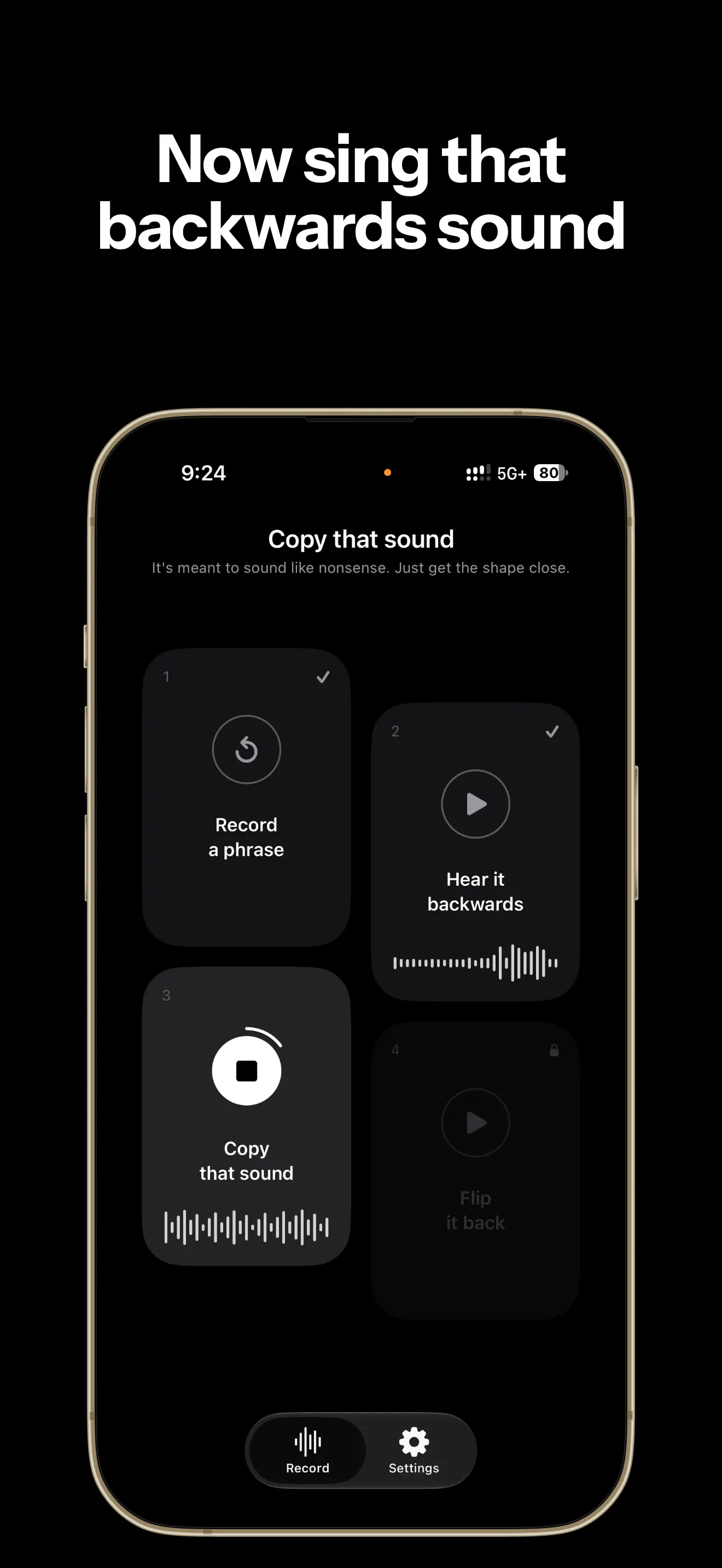
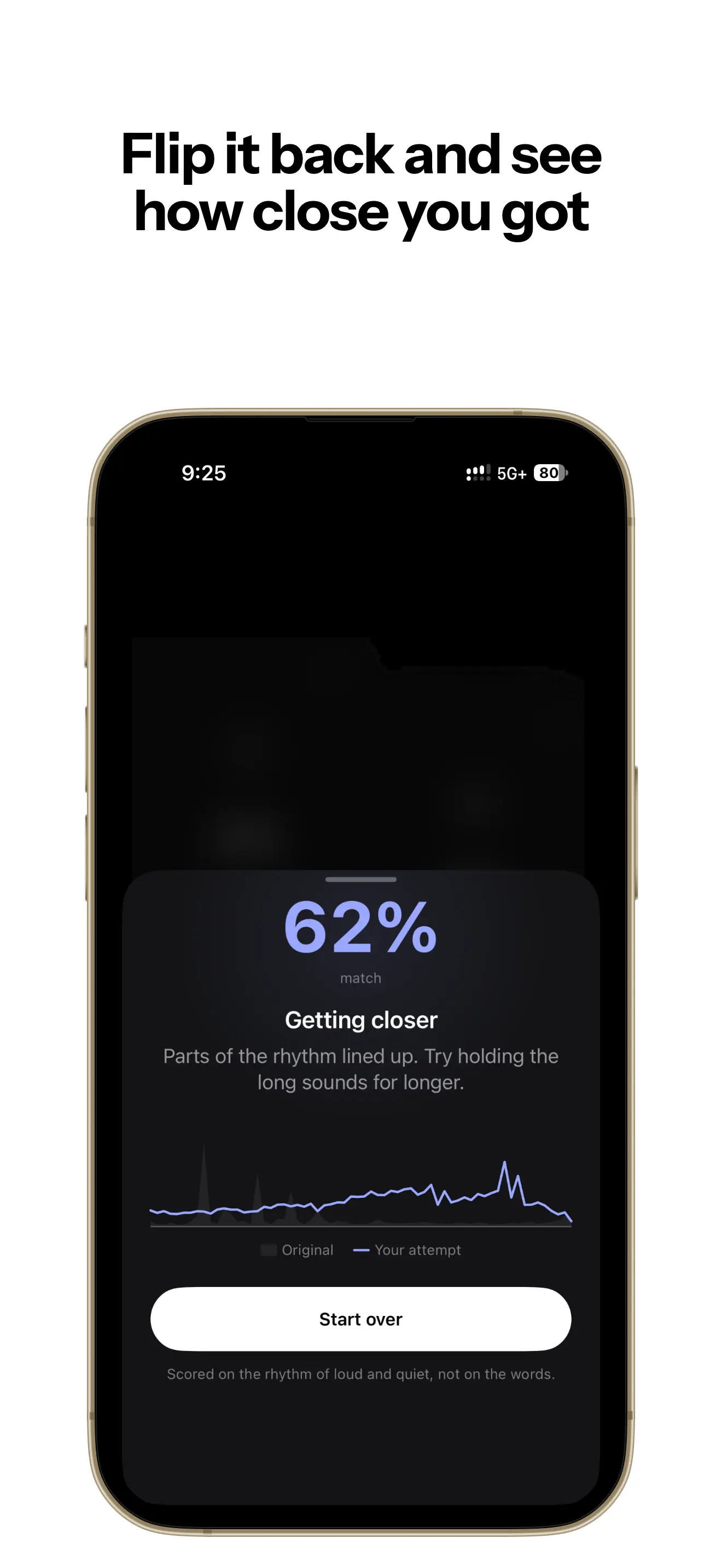
Records your voice on an iPhone and plays it backwards straight away, then reverses your attempt to copy it — the reverse-singing game, free for three rounds a day.
Not today? Get an email when Reverse Singing gets better
Updated · DRISH LABS
How do you reverse audio or play a song backwards?
To reverse audio, every channel’s samples are copied into a new buffer in the opposite order, so the clip runs from its last sample to its first. A browser can do this with any file it decodes, such as MP3, M4A or WAV, up to 10 minutes, and save the result as a 16-bit WAV. Slowing it to 0.5× to learn a reversed phrase also drops the pitch an octave. The browser tool cannot record.
How it works
- Drop an audio file — a voice memo, a song, a sound effect. The browser’s own decoder turns it into raw samples.
- Every channel’s samples are copied into a new buffer in the opposite order. That is the whole trick: the reversed version is the original, sample for sample, run from the last sample to the first.
- Play the reversed version or the original, from anywhere — click or tap the waveform to jump, or focus it and use the arrow keys. Space plays and pauses.
- Slow it to 0.75× or 0.5× to learn a reversed phrase. Speed here is resampling, so it lowers the pitch as it slows down — the label says so, because it is not a time-stretch.
- Save the reversed audio as a 16-bit WAV, which opens in every editor. Files up to 10 minutes are accepted: decoded audio takes a lot of memory, and a longer file can run a phone out of it.
What reversing audio actually does
Digital audio is a list of samples — tens of thousands of amplitude values per second per channel. Reversing it is reversing that list: the sample that played last plays first. Speech run backwards keeps its pitch and its rhythm but loses every consonant’s attack, which is why reversed words sound slurred and why “hidden messages” are mostly the brain finding patterns in noise.
reversed[i] = original[n − 1 − i] · 0.5× speed = one octave lower
When you need it
- The reverse-singing challenge
- Record a phrase, reverse it, learn to sing the reversed version, record that — and reverse it again to hear how close you got. Slowing the reversed clip to 0.75× is the easiest way to learn it.
- Checking a song for a “backmasked” message
- Drop the track and play it reversed. Most famous examples turn out to be ordinary lyrics that happen to sound like words backwards, and hearing it yourself is the quickest way to judge.
- Sound design
- A reversed cymbal, piano note or reverb tail swells into the beat instead of decaying from it — a staple swoosh in video editing and music production. Export the WAV and drop it on the timeline.
- Language and pronunciation games
- Reversing your own name or a short word is a party game and a surprisingly good ear-training exercise: to say it backwards convincingly you have to hear each sound in isolation.
Questions
Which audio files can I reverse?
Whatever your browser can decode: MP3, AAC/M4A and WAV everywhere; Ogg, Opus and FLAC in most browsers. Video files with an audio track often work too. Files are limited to 10 minutes.
Can I record my voice here?
No. Recording needs microphone access, and this site does not ask any page for it. Record a voice memo, then drop the file here. On an iPhone, Reverse Singing, the studio’s app (free to download), records your voice and plays it backwards in one go.
Why does the slowed-down version sound deeper?
Because the speed control resamples: playing the same samples at half the rate halves every frequency, which is an octave lower. That is how tape and vinyl behave too.
What format is the download?
A 16-bit PCM WAV at the file’s original sample rate and channel count. WAV is uncompressed, so it is larger than an MP3 of the same length, and every audio and video editor opens it.
Is the audio uploaded?
No. It is decoded, reversed and played in the page, and the WAV is assembled in memory. Nothing is sent anywhere.
Keep going
How to reverse audio on an iPhone
Voice Memos can't play a recording backwards.
GuideOnline Teleprompter
Paste a script and it scrolls at a speaking pace.
Free toolImage Format Converter
Batch-convert images to WebP.
Free tool