



What is DiffSnap?
DiffSnap is a native macOS app that compares two of almost anything and tells you what changed. Text and source code, PDFs, JSON, Plist, XML, images, entire folder trees, and — when it recognises nothing else — raw binary. You drop two things in; the app picks the comparison engine itself.
Every comparison opens with the answer in one sentence. "5 changes: 2 added, 1 removed, 2 modified across 3 sections." "Pixels are identical, file size dropped 2.4 MB." "12 files differ across the folder tree." That line is the point of the app: you arrived with a question, and it is answered before you scroll.
The problem
Comparing two text files on a Mac is a solved problem — diff in the terminal, FileMerge if you have Xcode, a dozen web tools. Comparing two of anything else is not.
- Two PDFs of the same contract, one of them revised. Which paragraph moved?
- Two exports of the same JSON config, one with its keys reordered by whatever wrote it. What changed, and what merely moved?
- Two versions of a screenshot after a design pass. Did the padding change, or does it just feel like it did?
- Two folders that are supposed to be identical backups. Are they?
Each of those has its own specialist tool, and the specialists agree on nothing — not the interface, not the shortcuts, not what "different" even means. So most people open both files side by side and read, or paste something into a web tool that wants the file uploaded first.
What it does
- Auto-detection — drop two things and the app decides what they are and how to compare them
- Text and source code — line diff with character-level highlights inside changed lines, syntax colouring for around twenty languages
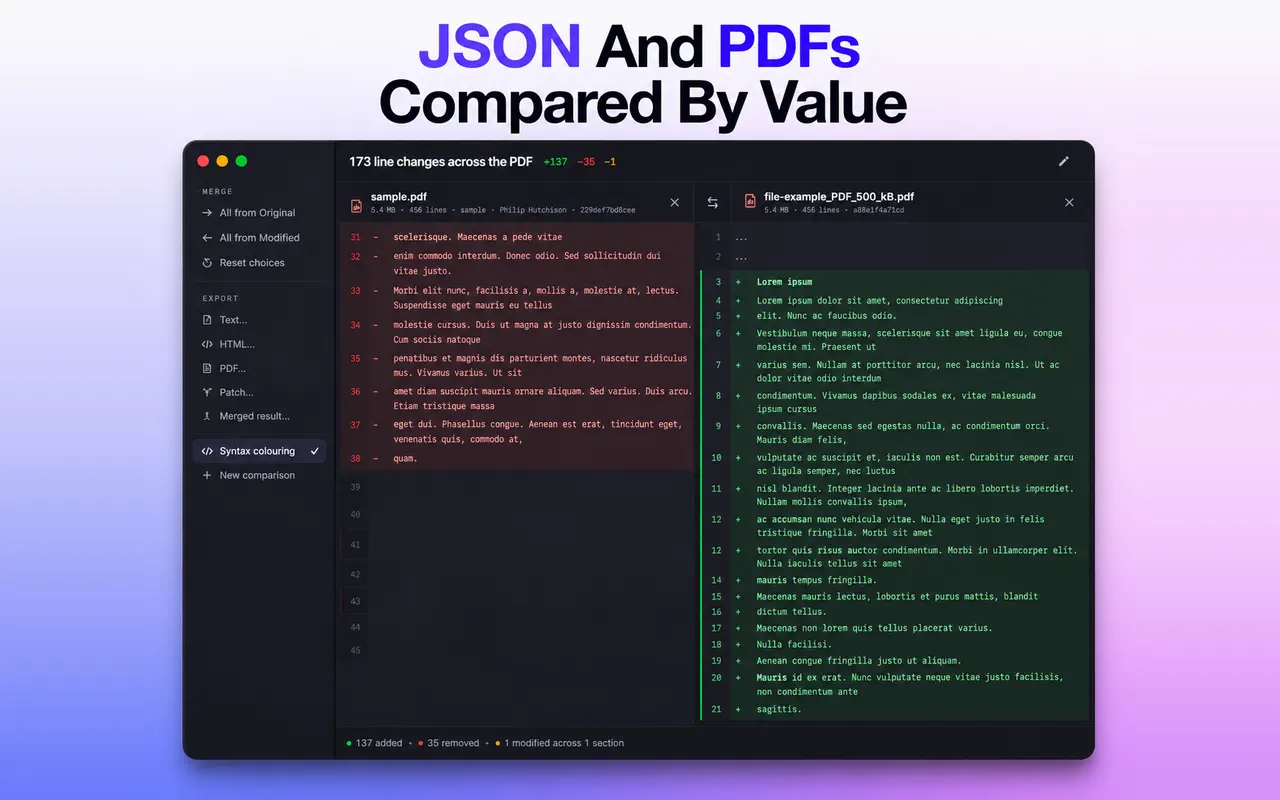
- PDFs — per-page text extraction, page-count and metadata deltas, full-text comparison
- JSON, Plist, XML — parsed and canonicalised before comparing, so reordered keys stop reading as changes
- Images — side by side, swipe slider, onion-skin overlay, and a pixel-difference mode
- Folders — recursive scan with SHA-256 content equality; click any differing file to drill into its own diff
- Anything else — a clean hex dump with offsets and an ASCII gutter
- Merge and export — take changes line by line from either side, then export as text, HTML, PDF, or a unified
.patch
How it works
The structural formats are the interesting part. JSON, Plist and XML are parsed into a tree, sorted, and canonicalised before anything is compared. That is the difference between a useful answer and a wall of noise: a config file written back out by a different tool can have every key on a different line and every value unchanged, and a plain text diff reports the whole file as modified. DiffSnap reports what it actually is — nothing changed.
Folders are compared by content hash, not by timestamp. A file that was touched but not edited is identical; a file with the same size and modification date but different bytes is not. SHA-256 is slower than trusting the filesystem, and it is the only answer that is always right.
Everything runs on your Mac inside the macOS sandbox. No account, no upload step, no network entitlement — which matters, because the documents people most want to compare are the ones they are least willing to send anywhere.
Who it is for
- Developers reviewing changes outside a git workflow — a vendored dependency, a generated file, a config pulled off a server
- Anyone who works with contracts, agreements or drafts that arrive as PDFs
- Designers checking whether an export genuinely changed
- Anyone verifying that a backup folder still matches its source
Real scenarios
The revised contract. A twelve-page PDF comes back from the other side "with a few small edits". Reading both copies takes an hour and you will still miss one. Drop them in, get the page-count delta and the changed lines, read only those.
The config that should be identical. Staging works and production does not. Both Plists look the same in a text editor, because the difference is one boolean twelve levels down. Structural comparison finds it immediately.
The backup nobody has tested. There is an external drive with last year's project folder on it. A recursive hash comparison tells you whether it is genuinely a copy — which is the only thing a backup has to be.
Why I built it
Because I kept opening a different app for every kind of file, and the switching cost was higher than the comparison itself.
The idea that made it worth building was small: in almost every case I did not want to read a diff, I wanted to be told whether something changed and where. So the summary line came first and the detailed view second, which is the opposite of how diff tools are usually laid out.
Alternatives and how it compares
diffandgit diff— free, fast, unbeatable for text. Nothing for PDFs, images or structural formats, and they live in a terminal.- Kaleidoscope — the polished Mac incumbent and genuinely excellent. Subscription-priced, and aimed squarely at developers.
- Beyond Compare — an enormous feature set, cross-platform, and it looks it. Not a Mac-native app.
- Online diff tools — free and immediate, and they want the file uploaded first. A non-starter for a contract or a client's config.
DiffSnap's position is deliberately narrower: one-time purchase, Mac-native, offline, and it works out for itself how to compare what you gave it.
FAQ
Does it compare two files of different types?
It falls back to the most general engine both sides support — usually text, otherwise hex. Comparing a PDF to a JPEG is a question with no useful answer, and the app says so rather than inventing one.
Can I use the output with git?
Yes. Export a unified .patch and git apply takes it.
Does it need Xcode or any developer tools installed?
No. It is a self-contained app.
Does anything leave my Mac?
No. It is sandboxed with no network entitlement — there is no code in it that could upload a file.