Below is what Teleprompter Pro does well, where the alternatives differ, a side-by-side table with sources, and how to move your scripts across. Every fact about Teleprompter Pro was read from its own website, user guide and App Store pages on 18 November 2026. Telly is made by DRISH LABS, the studio behind this site; Teleprompter Pro is made by Teleprompter Apps Ltd.
A note on names. Teleprompter Pro was called Teleprompter Premium until November 2023, and its Mac App Store app is listed as Teleprompter Pro+. Teleprompter.com is a different company with a different app.
Where Teleprompter Pro is strong
It has been built since 2011 (about), and it shows in the control and rig features:
- Remotes. Clickers, foot pedals and more than 20 game controllers, Bluetooth control from another device, and Wi-Fi control (remote control guide).
- Every Apple device. iPhone, iPad, Mac, Apple Watch and Vision Pro, with an iPhone Duo mode.
- Recording. Unlimited video recording with no watermark (features).
- Script library. Folders and sort orders on Mac, and optional cloud sync.
- Automation. Siri, Shortcuts and Spotlight.
- Styling. Any installed font, text and background colours, cue indicators in several styles, and elapsed and remaining-time clocks.
- Older macOS. macOS 13 or later, with an interface in 10 languages.
If those are why you use it, keep it.
What it doesn't do
- Follow your voice. It scrolls at a set speed or to a set time. Its captions guide says the Auto Captions feature "does not use voice recognition" (guide); no voice scrolling appears on its features page.
- Sit in the notch. On Mac it uses a transparent or floating window that you place beside the camera (Mac window settings).
- Hide from screen sharing. Not mentioned on its pages; with it you share a single window instead (see how to hide a teleprompter from screen sharing).
The alternatives
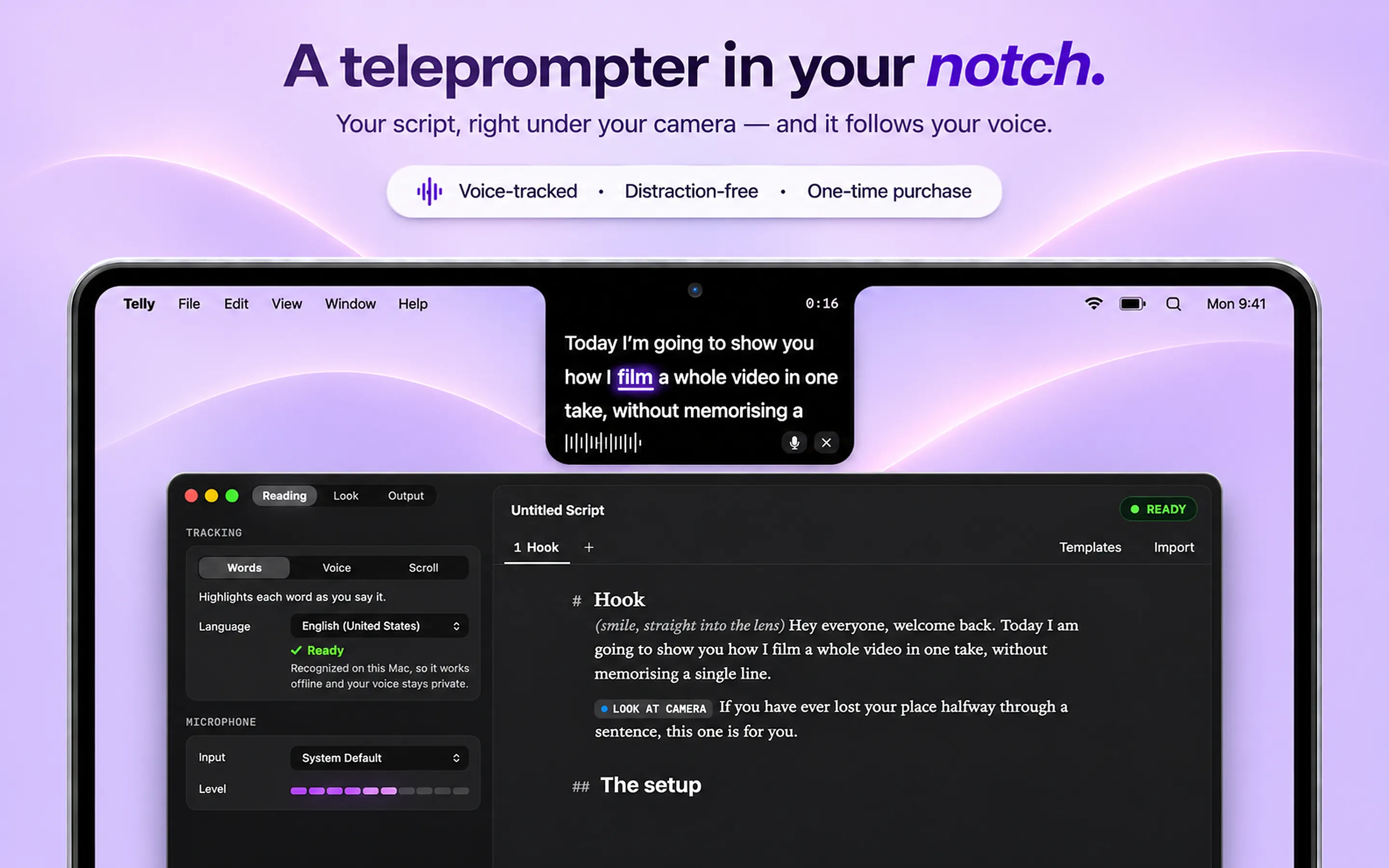
- Telly: word tracking in the notch that holds when you ad-lib, built to hide from screen sharing (on by default; check your call app), dozens of speech languages with one per page, external display with mirror flip, OBS browser source and a phone remote. One purchase, no account, Data Not Collected. macOS 26 or later.
- Textream: free and open source, with word tracking in the notch, hiding from screen sharing, a browser remote and mirrored external display. macOS 15 or later. Try it first if price matters most.
- Notchie: a minimal notch prompter, $29.99, macOS 14.6 or later. Its site says it follows "word by word"; its App Store listing (version 2.1) describes keyboard scrolling.
- CueNotch: notch, voice sync, PPTX and Word import and folders; a free tier, then $29.99 lifetime or $7.99 a week. macOS 14 or later.
- VoicePrompter: voice tracking on Mac, iPhone, iPad, Android and the web, if you need more than one platform.
For the full field, including team tools, see the best teleprompter apps for Mac.
Telly and Teleprompter Pro side by side
| Telly | Teleprompter Pro | |
|---|---|---|
| Follows your voice | Yes: word tracking, holds on ad-libs; also speak-to-scroll | No ("does not use voice recognition") |
| Fixed-speed scroll | Yes, can finish in a set time | Yes, with timed scrolling |
| In the notch | Yes, or a floating window | No: transparent or floating window |
| Hidden from screen sharing | Asks macOS to leave it out, on by default; check your call app | Not described |
| External display and mirror | Yes: flip horizontal, vertical or both | Yes: clean feed, mirrored independently |
| Hardware remotes | Keyboard and global shortcuts; phone remote in a browser | Clickers, foot pedals, 20+ game controllers, Bluetooth and Wi-Fi |
| Siri and Shortcuts | tele:// links only | Siri, Shortcuts, Spotlight |
| Recording in the app | No: record with Zoom, OBS, QuickTime or your camera | Yes, unlimited, no watermark |
| Captions | Transcript of what you said, as text or SRT (SRT timings evenly spaced) | SRT from the scroll timing |
| Script library | Script files and Open Recent | Library, folders, cloud sync |
| Devices | Mac | iPhone, iPad, Mac, Watch, Vision Pro |
| Interface languages | English | 10 |
| Speech languages | Dozens, most recognised on the Mac | Not applicable |
| Privacy label | Data Not Collected; no account | Purchase history, email address, name, user content and user ID linked to you; usage data not linked |
| Price | One purchase ($24.99 on the Mac App Store, 18 November 2026) | Free tier; Pro $59.99 a year or $159.99 forever on its pricing page; the Mac App Store also lists a $14.99-a-year option |
| macOS | 26 or later | 13 or later |
Who should switch, and who shouldn't
- Switch if you record yourself on a MacBook, lose your place with a fixed scroll, present on calls with your whole screen shared, or would rather pay once with no account.
- Stay if you run a studio rig with a handheld remote or a game controller, use an iPhone or iPad as the prompter, record inside the app, or are on macOS 15 or earlier.
- Use both if your rig lives on an iPad and your calls happen on the Mac: nothing stops you keeping Teleprompter Pro on the iPad.
Moving your scripts to Telly
- In Teleprompter Pro, export each script as RTF or TXT (its export options include both).
- In Telly, open the file, or drag it in. Telly opens RTF, TXT, DOCX, PDF and Markdown.
- Check the page breaks. When Telly opens a file, it starts a new page at each page break or, if the file has none, at every run of two or more blank lines, and at any line with
---alone. Pages still scroll as one continuous script. - Add cues if you used them:
[PAUSE]and other bracketed cues show as badges, and# headingsand (stage directions) are shown but never expected aloud. - On the Reading tab, choose Word Tracking, set the script's language, and press Start Take (⌘Return).
FAQ
What is the best Teleprompter Pro alternative for Mac?
It depends on what you are missing. For voice following in the notch and a prompter built to stay out of screen sharing: Telly, or Textream for free. For several platforms: VoicePrompter. If you need hardware remotes and an iPhone rig, no alternative here matches Teleprompter Pro.
Does Teleprompter Pro have voice scrolling?
Not according to its own pages, read on 18 November 2026. It scrolls at a set speed or to a set time, and its captions guide says the feature does not use voice recognition.
Is Teleprompter Premium the same as Teleprompter Pro?
Yes. Teleprompter Premium was renamed Teleprompter Pro in November 2023. On the Mac App Store it is listed as Teleprompter Pro+.
Is there a free alternative to Teleprompter Pro for Mac?
Yes. Textream is free and open source, with word tracking in the notch, for macOS 15 or later.
Can I import my Teleprompter Pro scripts into Telly?
Yes. Export them from Teleprompter Pro as RTF or TXT and open the files in Telly.