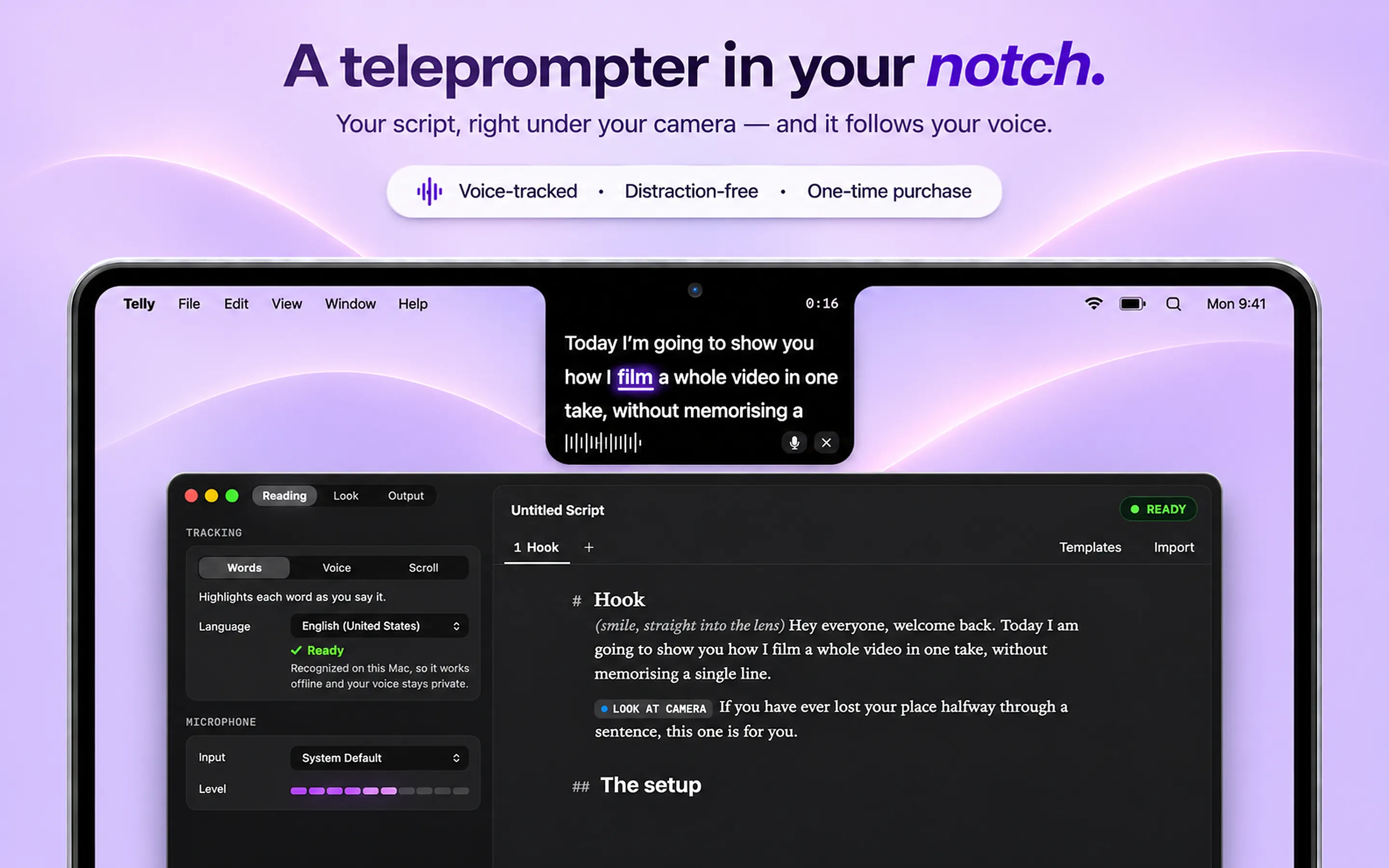
Below are the free options side by side, with what each is good at and its limits, then when paying makes sense. Facts about each app were read from its own page on 24 November 2026; check before relying on them. DRISH LABS, the studio behind this site, makes the browser teleprompter on this site and Telly, a paid Mac app.
The free options side by side
| Option | Follows your voice | Under the camera | Hidden from screen sharing | Limits on the free version | Needs |
|---|---|---|---|---|---|
| Textream | Word tracking, plus speak-to-scroll | Notch | Yes | None: free and open source (MIT) | macOS 15+ |
| Mootch | Word tracking (Smart mode), or play and pause by volume | Notch | Zoom, Meet and Teams, its listing says | None listed: free, no in-app purchases shown | macOS 14+ |
| Takes | Scrolls as you speak, waits when you go off script | Notch | Out of its own recordings; Zoom and Meet untested by its maker | None: free and open source; also records camera and screen | macOS 15+, Apple silicon |
| Elgato Virtual Prompter, Docked | Voice Sync, strict to loose, 8 languages | Docked under the camera | Not stated | Docked only; Floating placement is paid | macOS 15+, Elgato Studio 2.0 |
| NotchPrompter | Voice activation | Notch | "Invisible to recording" | Free on GitHub; $4.99 on the Mac App Store | macOS 14+ |
| Browser teleprompter (this site) | No, steady words-per-minute pace | Where you put the window | No: share a window instead | None | Any browser |
| VoicePrompter web app | Yes, matches the whole script | Where you put the window | No: share a window instead | Free and open source; 34 languages | Any browser |
| Speakflow free plan | 10 minutes of voice scrolling a month | Where you put the window | Not described | Voice minutes capped | Browser |
| CueNotch free tier | Voice sync | Notch | Ghost Mode | 3 starts a day, 100 words | macOS 14+ |
| Keynote or PowerPoint presenter notes | No | On your screen, not at the camera | Share only the slides window | You scroll the notes yourself | Keynote is free from Apple |
What each is good for
Textream is the one to try first. It has three modes (Word Tracking, Voice-Activated and Classic), pins the script under the notch or in a floating window, hides from screen recordings and video calls, and adds a browser remote, a Director Mode where someone else pushes the script, and a mirrored external display for a rig. Its README says recognition runs on the device: "No cloud, no latency, works offline."
Mootch is the free pick on macOS 14. Its Smart mode uses Whisper on your Mac to highlight the word you are on, and its Simple mode just plays and pauses by volume. It sits under the notch, and its listing says it stays hidden from screen shares on Zoom, Meet and Teams.
Takes is a teleprompter and a recorder in one free app: the script hangs from the notch while Takes records the camera and the screen. Its maker is upfront that it has tested hiding only in Takes' own recordings, not in Zoom or Meet.
Elgato's Virtual Prompter comes free in Elgato Studio in its Docked mode, which keeps the script just below the camera, with Voice Sync and "no time limits". Floating placement needs Virtual Prompter Pro, and its pages don't say whether it hides from screen sharing.
The browser teleprompter on this site is for the occasional read: paste a script, set the pace, go full screen, mirror it for glass. Nothing is uploaded and there is no sign-up. It does not listen; you set the speed.
VoicePrompter's web app gives voice tracking without installing anything, which helps on a work Mac where you cannot install apps.
Speakflow's free plan lets you try voice scrolling in a browser; the cap makes it a trial more than a daily tool.
CueNotch's free tier is a notch app with voice sync, limited to three starts a day and 100 words: enough for a short intro or to test before buying. Tellie, Avocado and GoTeleprompter have free tiers too, with voice following in their paid versions or limited to a few scripts; see the best teleprompter apps for Mac.
Keynote and PowerPoint are free if you already present from them: notes in the presenter display, slides shared on their own. See does Keynote have a teleprompter and does PowerPoint have a teleprompter.
When a paid teleprompter is worth it
Pay when one of these costs you takes, and not before:
- Your Mac is on macOS 13. Mootch needs macOS 14, and Textream and Takes need 15. Teleprompter Pro (13+) runs on older systems.
- You need hardware remotes, an iPhone or iPad rig, or recording inside the app. Teleprompter Pro is built for that; see the Teleprompter Pro alternative guide for the trade-offs.
- A team writes the scripts. Speakflow's paid plans add shared workspaces.
- You go off script, or read in more than one language, and the free tracker loses you. This is where Telly is different: its highlight holds when you ad-lib and picks up when you return, it follows dozens of speech languages with a listening language per page, and most are recognised on your Mac.
Telly compared with Textream
Textream is the fair comparison, because it is free and does the same core job. What Telly adds, in one purchase ($24.99 on the Mac App Store on 24 November 2026):
- Holds when you ad-lib, then picks up where you left off.
- A listening language per page, with mixed Hindi and English, right-to-left Arabic and Hebrew, Chinese, Japanese and Thai; most languages recognised on the device.
- Opens your existing scripts: PDF, DOCX, RTF, Markdown and text, and the presenter notes of a PPTX, one page per slide; 15 templates.
- Outputs for production: an external display with mirror flip and type up to 140 pt, an OBS browser source in green, blue or clear, and a phone remote by QR code.
- App Store updates and support, and a Data Not Collected privacy label with no account.
Where Textream is ahead: it is free, it runs on macOS 15 where Telly needs macOS 26, it has an iPhone and iPad companion, and you can read and change its code. If Textream does what you need, use it.
FAQ
Is there a free teleprompter for Mac?
Yes. Textream is free and open source, with word tracking under the notch, for macOS 15 or later; Mootch is free on macOS 14, and Takes is free and records too. Browser teleprompters, including the one on this site, work on any Mac with a steady scroll.
Is there a free teleprompter for Mac that follows your voice?
Yes. Textream's Word Tracking follows each word, Mootch's Smart mode does the same on the device, and Elgato's Virtual Prompter includes Voice Sync in its free Docked mode. VoicePrompter's web app tracks your voice in a browser, and Speakflow's free plan includes 10 minutes of voice scrolling a month.
Does macOS have a built-in teleprompter?
No. Keynote's presenter display shows your notes while you present or record a slideshow, but nothing scrolls them for you.
Can a free teleprompter hide from Zoom screen sharing?
Textream says it hides from screen recordings and video calls, and Mootch names Zoom, Meet and Teams. It depends on Zoom honouring the request, so check from a second device. With a browser teleprompter, share a single window and keep the prompter outside it.
When should I pay for a teleprompter?
When a free one costs you takes: it loses your place when you ad-lib, does not follow your language, does not run on your macOS, or lacks the remote or rig output you need.