Below is each setup step by step, how to write the script so it sounds spoken, and how to turn the take into captions for the upload. The free ways come first.
Setup 1: The MacBook camera
The simplest setup and the most common for talking-head videos, tutorials and course lessons.
- Where the words go: the very top centre of the screen, around the notch. That is the closest text can get to the camera, so your eyes barely move.
- Free: open the browser teleprompter on this site, make the window narrow and short, and drag it to the top of the screen under the camera. Set the pace in words per minute (140 is a common start).
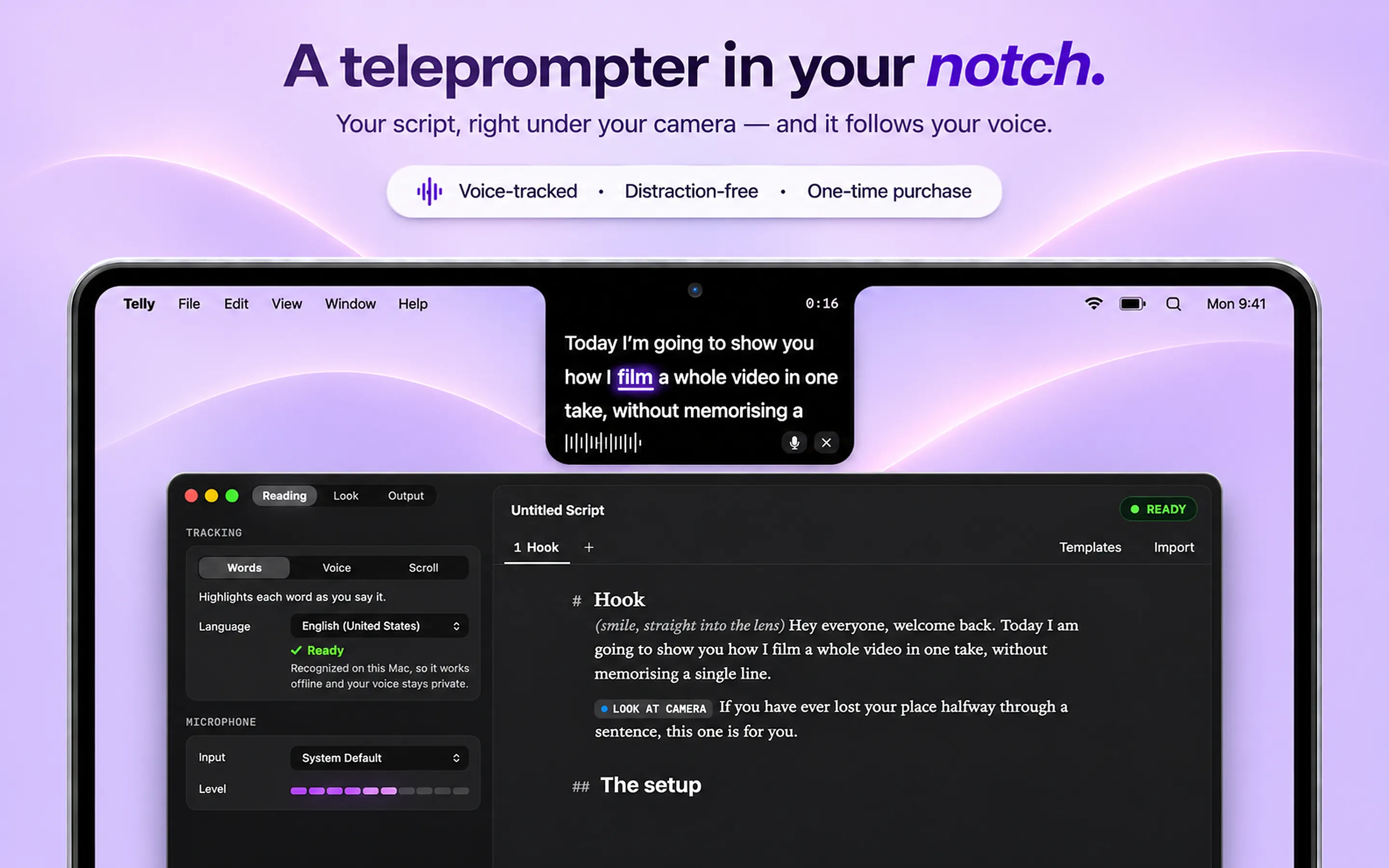
- With an app: a notch teleprompter draws the script around the notch for you, and the voice-following ones move it as you speak. Notch teleprompter apps compared lists them, free ones included.
Lighting and sound matter more than the prompter here: face a window or a soft light, and use an external microphone if you can. A microphone close to your mouth also helps voice tracking.
Setup 2: A webcam on an external monitor
- Mount the webcam at the top centre of the monitor you read from.
- Put the prompter directly under it, a few words wide. A wide window makes your eyes sweep side to side, which reads as reading.
- Sit a little further back than usual. The further you are from the screen, the less your eye movement shows.
In Telly, set Look›Window›Display to Fixed to keep the prompter on that monitor, or Follow Mouse to have it move to whichever display your pointer is on. Style›Floating gives a draggable window for a webcam that is not centred.
Setup 3: A camera with beam-splitter glass
For a mirrorless or DSLR camera, a teleprompter rig puts a sheet of angled glass in front of the lens. A display under the glass shows the script mirrored; the glass reflects it the right way round, and the camera films straight through. Your eyes are on the lens the whole time. How a teleprompter works explains the optics.
From a Mac you need:
- The rig's display connected as an extra display (HDMI, USB-C, or Sidecar with an iPad).
- A prompter that shows the script full screen on that display, flipped horizontally.
- Type big enough to read from where you stand.
The free browser teleprompter on this site has a mirror setting. In Telly, choose Output›External Display›Output›Mirror, set Flip to Horizontal, and pick the display; the type goes up to 140 pt. Step-by-step, including Elgato Prompter (it may stay blank until you turn off Output›Recording›Hide from screen sharing): how to use a Mac with a teleprompter mirror rig.
Which setup for which channel
| Setup | Best for | Cost beyond the Mac | Eyeline |
|---|---|---|---|
| MacBook camera + notch prompter | Tutorials, courses, commentary, quick uploads | None | Very close to the lens |
| External webcam + prompter window | A desk setup with a monitor | A webcam | Close, if the window is right under it |
| Camera + glass rig + mirrored display | Higher production, a camera on a tripod | A rig and a camera | On the lens |
Writing a script that sounds spoken
- Open with the hook, not your name: how to write a YouTube intro script has a template.
- One idea per sentence, and contractions ("you'll", "it's").
- Write numbers as you say them, which also helps voice tracking match them.
- Mark breaths and cuts. A blank line, or a cue such as
[PAUSE]or[B-ROLL]. In Telly, bracketed cues show as badges, and# headingsand (stage directions) are shown but never expected aloud. - Check the length. At about 140 words a minute, 1,000 words is roughly seven minutes; how long 1,000 words takes to say has the table.
Reading it so it doesn't look read
- Let the prompter follow you. A fixed scroll is always slightly wrong for the sentence you are on. A word-tracking prompter highlights the word you are on, waits when you pause and goes back when you re-read; voice-activated teleprompters for Mac compares them.
- Look up between sentences. Glance at the lens on the full stop, then read on.
- Record in sections. Hook, body and outro as separate takes are easier to deliver and to edit.
More in how to read a script on camera without looking like you're reading.
Captions for the upload
Uploading your own captions saves fixing YouTube's automatic ones by hand. In YouTube Studio, under Subtitles, you can upload a caption file with timings, or a plain transcript without timings and let YouTube line it up with the audio.
After a voice-tracked take, Telly saves the transcript of what you said: File›Export Last Transcript, as Plain Text or Captions (.srt). Upload the plain text as a transcript without timings and let YouTube sync it. The SRT's timings are evenly spaced (a few seconds per line of words), not measured from your speech, so treat it as a starting point to sync in your editor rather than finished captions.
Where Telly fits
Telly, the teleprompter DRISH LABS makes for Mac, covers all three setups: the notch for the MacBook camera, a floating window for a webcam, and a mirrored external display for a rig. It follows your voice word by word, holds when you ad-lib, stays out of screen recordings by default, and has templates for a YouTube intro, a sponsor read and a short-video hook. It does not record video itself: QuickTime, OBS or your camera records. It needs macOS 26 or later.
FAQ
What teleprompter do YouTubers use on a Mac?
It depends on the camera. With the MacBook camera, a notch teleprompter keeps the words right under the lens; with a camera on a tripod, beam-splitter glass and a mirrored display. Voice-following prompters save retakes in either.
Can I use a teleprompter with my MacBook webcam?
Yes. Put the script at the very top of the screen, around the notch, in a narrow strip. The free browser teleprompter on this site works for that, and notch apps do it for you.
How do I stop my eyes moving when I read from a teleprompter?
Keep the text a few words wide, put it as close to the lens as possible, and sit a little further from the screen. A voice-following prompter also keeps the line you are reading in one place.
Do I need a teleprompter rig for YouTube?
No. A rig with glass puts the words on the lens and suits a camera on a tripod. For videos on the MacBook camera or a webcam, a prompter on the screen right under the camera is enough.
Can a teleprompter make captions for YouTube?
Some help. After a voice-tracked take, Telly saves a transcript of what you said; upload it in YouTube Studio as a transcript without timings and YouTube lines it up with the audio.